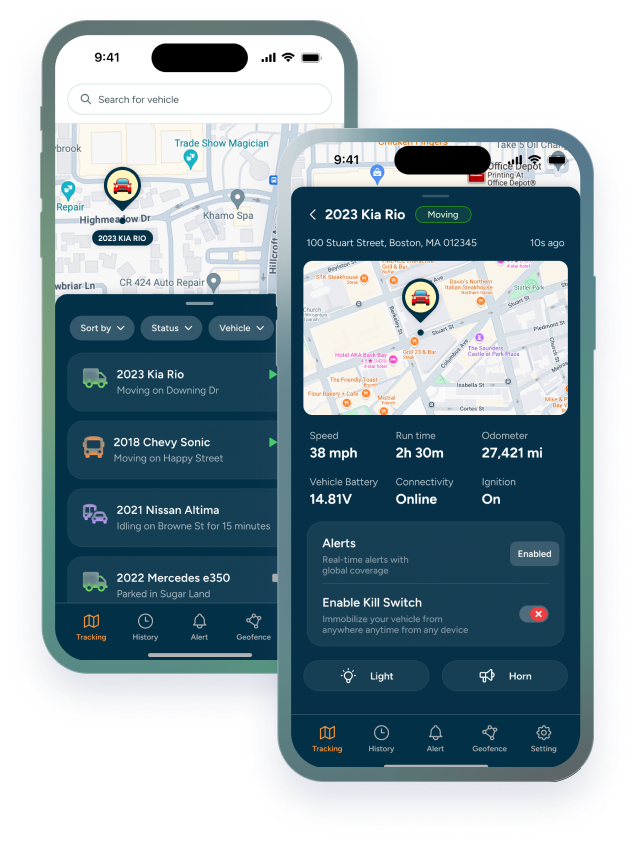

Most guides to the best GPS tracker for heavy equipment start with the machine: is it powered, does it have a port, how rough is the job site. That's the right question when you're choosing a device. But if you manage a fleet, the harder question is what happens after the trackers are installed.
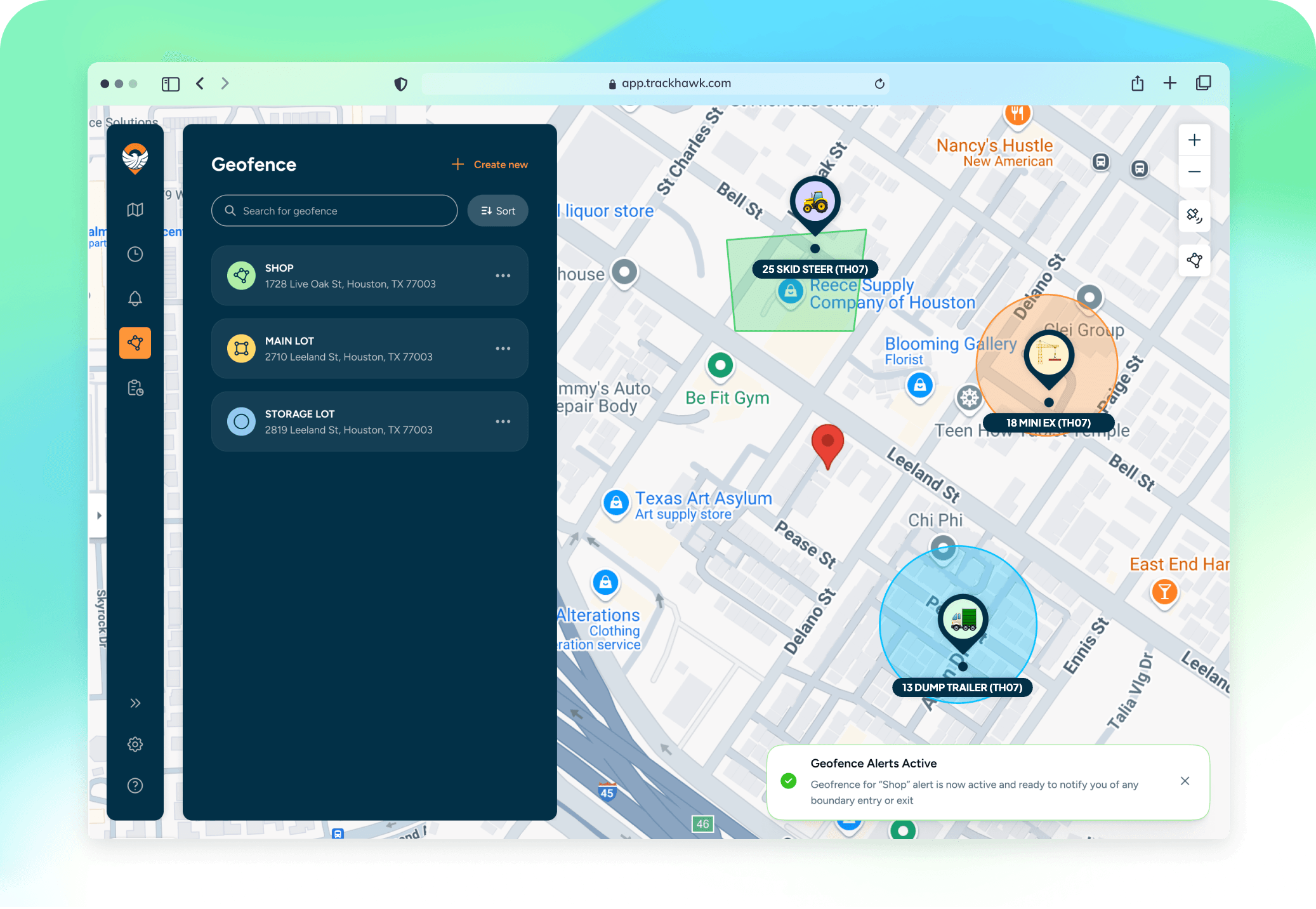
A construction fleet is rarely just equipment. It's pickups and service trucks, excavators and skid steers, trailers, light towers, and attachments, spread across yards and job sites. The best system for fleet management is the one that puts all of that in one place and helps you run it, not just find it.
This guide compares four construction equipment GPS tracking systems from a fleet manager's point of view: what each is built for, who it tends to suit, and what to ask before you sign.
Why Fleet Management Changes the Question
An equipment manager asks where the excavator is. A fleet manager asks a longer list: which machines are sitting idle while we rent the same thing for another job, which ones are due for service, which trucks idle all afternoon, and what the whole fleet is costing per job.
That shifts what matters in GPS for heavy equipment:
- One platform, not three. Trucks, machines, and trailers should show up on the same map and in the same reports. Two or three logins means nobody sees the whole picture.
- Maintenance that fits each asset. Excavators wear by the hour, trucks by the mile, and some assets by the calendar. Service has to trigger off whichever one applies, which is why the choice between mileage, engine hours, or time matters.
- Utilization, not just location. Location tells you where a machine is. Utilization tells you whether you need it, or whether you need more of it.
- Groups you can change. Fleets move between jobsites, customers, and regions. You should be able to regroup assets yourself as the work changes.
- Cost that scales with the fleet. A per-device price looks small until you multiply it across 60 assets and a multi-year term.
Finding a machine is the starting point. Managing the fleet is what you're actually paying for.
What the Best GPS Tracker for Heavy Equipment Does for a Fleet Manager
Use this as a checklist when you compare systems:
|
What to check |
Why it matters for fleet management |
|---|---|
|
Hardware for every asset type |
Hardwired, plug-in, and battery-powered options so trucks, machines, and trailers all report to one system. |
|
Engine hours and maintenance |
Service schedules by engine hours, mileage, or time, with a due-soon view across the whole fleet. |
|
Utilization and idle reports |
Shows which assets are underused, overused, or burning fuel while idling. |
|
Alerts you can tune |
Geofence, after-hours, movement, tamper, and power alerts, plus defaults that work without setup. |
|
Grouping and permissions |
Organize by job site, customer, or region, and give each manager the view they need. |
|
Integrations |
Matters most for larger fleets already running OEM telematics, ERP, or project software. |
|
Pricing and contract terms |
Per-device subscription cost, hardware cost, contract length, and what happens when you add or remove assets. |
Geofencing deserves its own look, since it does most of the day-to-day work on a job site. We covered how it works in geofencing on construction sites.
The Best Construction Equipment GPS Tracking Systems for Fleet Management
There's no single best system. These four suit different fleets, from large enterprises to small contractors. We've described each by what it's built for, not by review scores.
Samsara: Best for Large Mixed Fleets That Want One Platform for Everything
Samsara is a broad operations platform that covers vehicles, heavy equipment, and unpowered assets, along with driver safety and compliance. For construction, it offers asset gateways and tags for equipment, plus integrations with equipment makers such as Caterpillar, John Deere, Komatsu, Volvo, and CNH, so OEM data can sit next to its own trackers. It also reports on utilization and dormancy and supports preventive maintenance schedules.
It tends to suit larger fleets that want safety, compliance, equipment, and vehicles on one system and have the team to use it. Ask how much of the platform you'd actually use, and what the full cost looks like once every asset is connected.
Tenna: Best for Contractors Who Want Equipment Management Beyond GPS
Tenna is built only for construction contractors. Along with GPS trackers for powered and battery-powered assets, it uses rugged Bluetooth tags for attachments, trench boxes, and small tools. The platform covers maintenance, dispatching, inspections, and equipment job costing, and it tracks both owned and rented-in equipment across jobs.
It tends to suit contractors who want a full equipment management system, not just tracking, including small items that rarely get tracked. Ask about pricing, which is quoted per customer, and how long setup and training take.
One Step GPS: Best for Small and Mid-Sized Fleets Watching Monthly Cost
One Step GPS sells month-to-month tracking with no contract, and its published pricing includes the device in the monthly fee with a lifetime warranty. One dashboard covers vehicles, heavy equipment, and trailers, filterable by job site, with service reminders by engine hours, miles, or time. Hardware includes rugged hardwired, extended-battery, and solar options, and ELD is an add-on.
It tends to suit smaller fleets that want simple pricing and quick setup. Ask about update rates on battery-powered devices and how its equipment trackers handle machines without a standard port.
Trackhawk GPS: Best for Mixed Fleets That Need the Right Device on Every Asset
Trackhawk offers hardwired, plug-and-play, and battery-powered trackers on one easy to use platform, with kill switch options and maintenance tracking built in. More on where it fits below.
How These GPS Systems for Heavy Equipment Compare
|
Provider |
Built for |
Tends to fit |
Ask before you buy |
|---|---|---|---|
|
Samsara |
Broad platform: vehicles, equipment, safety, compliance |
Large mixed fleets |
How much of the platform you'd use, and full cost per asset |
|
Tenna |
Construction equipment management, down to small tools |
Contractors wanting full equipment ops |
Quoted pricing, setup and training time |
|
One Step GPS |
Simple, no-contract fleet tracking |
Small and mid-sized fleets |
Battery device update rates, heavy machine fit |
|
Trackhawk GPS |
Hardwired, OBD, and battery trackers on one platform with a kill switch capability for an extra layer of security |
Mixed mid-sized fleets of trucks, machines, trailers, rental equipment |
Which device fits your largest machines |
Features and pricing change often, so treat this as a starting point. Whatever you're comparing, the same questions apply: how often each device reports, what happens when a battery runs low, and what you're committing to. For a full breakdown of hardware and subscription costs at Trackhawk GPS, see what a construction fleet GPS tracking system costs.
Where Trackhawk Fits in Your Fleet
Trackhawk is built for fleets that don't have one type of asset. Instead of one tracker for everything, there's a device for each part of the fleet, all reporting to the same platform:
- VL03 and TH75: Hardwired, with a kill switch. The VL03 fits enclosed motorized vehicles, and the TH75 fits small construction equipment, tractors, ATVs, and UTVs or any equipment used in ruggedized environments.
- VL04: Plug into the OBD port in minutes. The VL04 Plus adds live vehicle diagnostics.
- TH07 Trailer Tracker: Wire-free and battery-powered, with up to 8+ years of battery life with limited movement.
- TH-MAG: Rechargeable and magnetic, so it moves between assets as needed.
For fleet management, the platform is where the value is. Maintenance can trigger by mileage, engine hours, or time, whichever comes first, so a due-soon flag sits next to each asset's location. Idle Time Exceeded alerts can be set from 2 to 60 minutes, and every new device gets default alerts like Device Power Disconnected automatically. You can group assets by jobsite, customer, or region yourself, without a support ticket.
|
TRACKHAWK TIP Start with your asset list, not the device list. Sort it into powered machines, vehicles, trailers, and small equipment, and the right tracker for each group usually becomes obvious. |
There are limits worth knowing. Battery-powered trackers report less often to save battery, and the TH07 roams on AT&T and T-Mobile only. For larger machines like excavators and loaders, check with our team about which device fits.
How to Choose the Right System for Your Fleet
Match the system to the fleet you actually run:
- Large fleet, many brands, dedicated equipment team: A broad platform like Samsara may be worth the cost if you'll use the safety, compliance, and OEM integrations too.
- Contractor wanting full equipment management: Look at a construction-specific system like Tenna, especially if small tools and attachments go missing.
- Small to mid-sized fleet: Simple pricing and fast setup matter most. Compare One Step GPS and Trackhawk on hardware fit and total cost.
- Rental fleet: You need geofences you can change often and alerts when equipment leaves a customer's site. Tracking for rental companies and contractors works differently, so check the system fits your side.
- Mixed trucks, machines, and trailers: Prioritize a provider with a device for each asset type on one platform, so nothing ends up tracked in a separate app.
Whoever you choose, be careful with any provider that promises to stop theft outright. Tracking improves your odds of noticing and recovering a machine, and the true cost of one stolen machine is a good reason to take that seriously. It doesn't replace locks, lighting, and good yard habits.
Put Your Whole Fleet on One Map
The best construction equipment GPS tracking system is the one your team will actually use every day, across every truck, machine, and trailer. If you're comparing options, start with your asset list and the questions above.
See how Trackhawk fits your fleet. Talk to our team about what you track and where it works. Book a free demo.