.png?width=5040&height=2772&name=Group%2046883%20(2).png)
Use real-time GPS tracking to manage fleet vehicles, monitor drivers, optimize routes, reduce idle time, secure assets, and automate daily operations.
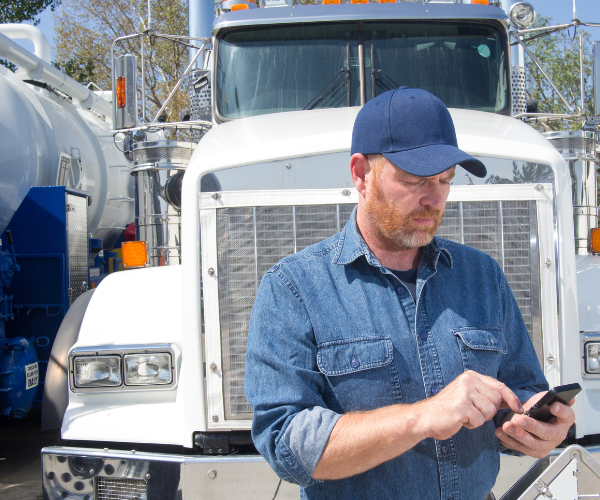

Fleet management tracking software gives you real-time visibility into every vehicle, asset, and driver in your operation all in one place. Track GPS location live, monitor driver behavior like harsh braking, speeding, and excessive idling, optimize routes to cut fuel costs, and get instant alerts when something's off with the Trackhawk GPS fleet tracking system. Automated reports keep your team accountable without the manual follow-up.
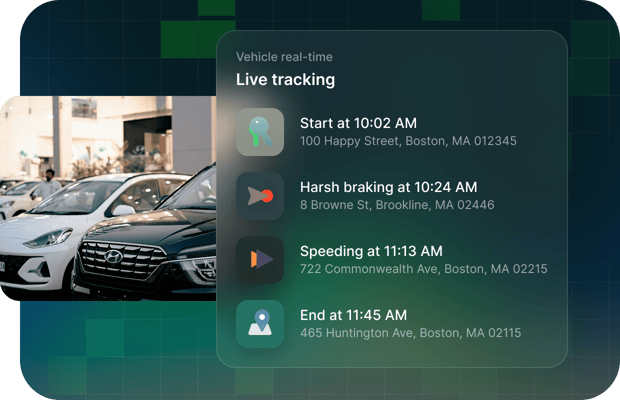
Every trip is automatically scored with the Trackhawk Fleet management software. Trackhawk flags harsh braking, rapid acceleration, sharp turns, speeding, and excessive idling in real time, with timestamped GPS location for each event and even helps with route optimization. Get instant alerts when behavior crosses your thresholds, and pull driver scorecards at any time without chasing down reports manually.
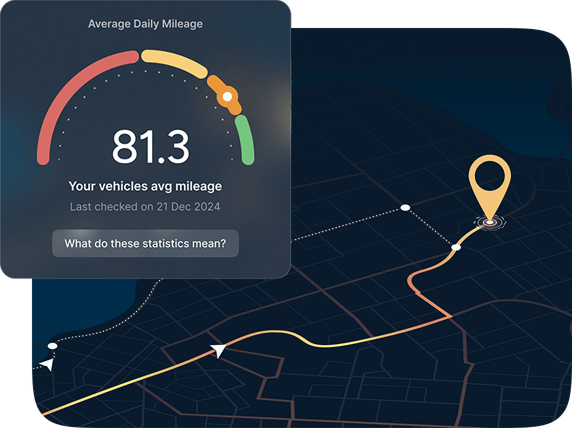
Trackhawk GPS fleet tracking software calculates the most efficient path based on live traffic, stop sequences, and driver availability. Track average daily mileage, idle time, and per-vehicle utilization across your entire fleet. When a vehicle is underused or a route is bleeding fuel, you'll see it before it becomes a line item.
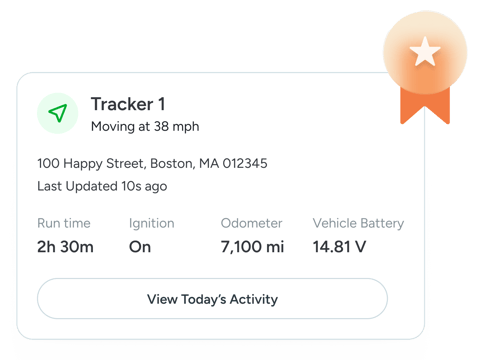
When a customer asks "where's my driver?" you have an answer in seconds. Trackhawk Fleet tracking gives your team live GPS visibility across every vehicle so you can communicate accurate ETAs, reroute on the fly, and get ahead of delays before they become complaints. No guesswork. No "let me call the driver."

Trackhawk GPS fleet tracking tracks mileage, engine hours, and service intervals for every vehicle in your fleet. When a vehicle is due or overdue, it shows up automatically. No more expired maintenance slipping through the cracks. Schedule service proactively, keep your fleet road-ready, and stop losing revenue to preventable breakdowns.
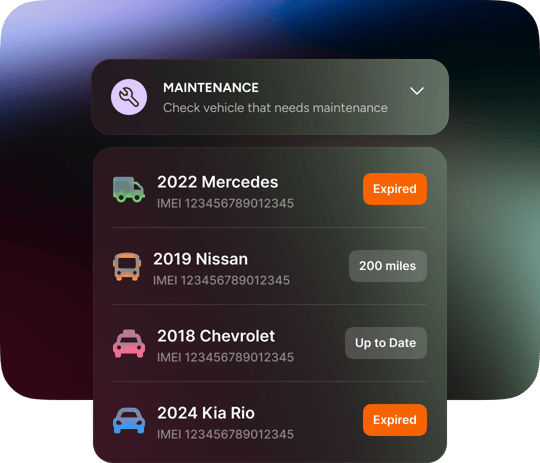
Trackhawk enforces your fleet policies automatically no manual oversight required. Set geofence boundaries around authorized zones and define operating hours for each vehicle. If a vehicle leaves the zone or runs outside its schedule, Trackhawk flags it instantly and can disable the vehicle remotely.
We are so confident in our solutions we offer a 30-Day money-back guarantee and a lifetime warranty on all hardware products - no questions asked!
We provide the ultimate fleet tracking solution for fleet managers' peace of mind.
Trackhawk's fleet management tracking platform combines hardwired and battery-powered GPS devices with cloud-based software to give you automated control over every vehicle and asset in your fleet.
Here's how it works in practice:
Set your rules once — define geofence boundaries, operating hours, speed thresholds, or alert conditions per vehicle. Trackhawk's fleet tracking software monitors against those rules automatically, around the clock.
Get instant alerts — when a condition is triggered (vehicle leaves an authorized zone, moves after hours, exceeds a speed limit), you're notified immediately via the mobile app or web dashboard.
Take action remotely — for vehicles equipped with a GPS tracker with remote disable, Trackhawk can immobilize the vehicle automatically when rules are violated — no manual intervention needed.
Monitor everything in one place — live GPS location, driver behavior scores, route history, geofencing activity, and real-time alerts all surface in the same fleet management dashboard.
Example: A rental vehicle leaves your lot at 2 AM outside authorized hours. Trackhawk detects the movement, fires an alert, and can disable the vehicle without anyone watching the screen.
That's the difference between GPS tracking and a true fleet management tracking system: one shows you what happened, the other acts on it.
Trackhawk's fleet management tracking software gives you automated controls that run 24/7 with no manual monitoring required. Here's what you can enforce from the platform:
Geofence Boundaries — Draw authorized zones around job sites, lots, or service areas. When a vehicle crosses the boundary, Trackhawk alerts you instantly and can trigger a remote disable.
Time-Based Restrictions — Lock vehicles to specific operating hours. Any movement outside that window flags automatically in your fleet management dashboard.
Speed Monitoring — Set thresholds per vehicle or driver. Alerts fire the moment a threshold is crossed, creating a timestamped record for coaching or liability.
Unauthorized Movement — Detects towing or movement without ignition. Critical for lot security, rental fleets, and equipment yards.
Power Disconnect Alerts — If anyone tampers with or removes the tracker, you're notified immediately through the fleet management tracking platform.
Every control is managed from the same dashboard you use for live GPS tracking, driver monitoring, and reporting — one login, full visibility across your entire operation.
Yes. Trackhawk's fleet management tracking software automates your entire maintenance workflow based on real vehicle data not calendar guesses.
Mileage Tracking — Your fleet tracking dashboard alerts you automatically when any vehicle hits its service interval, based on live odometer data pulled directly from the device.
Engine Hours — For equipment and heavy-use vehicles, Trackhawk tracks hours of operation and triggers service reminders when hour-based thresholds are reached. Critical for construction equipment fleets.
Diagnostic Reports — The OBD-II plug-and-play tracker monitors vehicle health in real time, surfacing fault codes before a minor issue becomes a breakdown.
Usage Reports — See utilization patterns across your entire fleet — which vehicles are overworked, which are sitting idle, and where you can redistribute to cut wear costs.
Fleet Maintenance Scheduling — Schedule service for multiple vehicles based on actual usage data. Your GPS fleet tracking system tells you what needs attention and when, so nothing slips through.
Proactive maintenance is one of the highest-ROI features in any fleet management software the average fleet operator spends 3–5x more on reactive repairs than scheduled service. Trackhawk flips that ratio by keeping every vehicle's service status visible in one dashboard.
Trackhawk's fleet management tracking platform automates the operational tasks that eat up your team's time, from dispatch to reporting you will run a leaner, more profitable operation.
Timesheet Automation — Hours of service are logged automatically based on GPS ignition events. No manual timesheets, no disputes, just accurate records tied to real vehicle data.
Route Optimization — Trackhawk analyzes live traffic and stop sequences to assign the most efficient routes across your fleet. Less fuel burned, more stops completed per shift.
Asset Utilization Reports — Your fleet management dashboard surfaces underused vehicles and equipment automatically. Identify what's sitting idle, redeploy it, and stop paying to insure assets that aren't earning.
Customer ETA Updates — Share live arrival times directly from your GPS fleet tracking system. Your team always has an accurate answer when a customer asks where their driver is.
Fuel Usage Monitoring — Track consumption trends per vehicle and across the fleet. Spot the routes, drivers, or vehicles driving up your fuel costs and act on it.
Driver Behavior Alerts — Harsh braking, rapid acceleration, speeding, excessive idling — every event is flagged in real time and logged for driver coaching and liability protection.
Every one of these features runs inside the same fleet management software dashboard one login, no switching between tools, full visibility from vehicle to driver to asset.
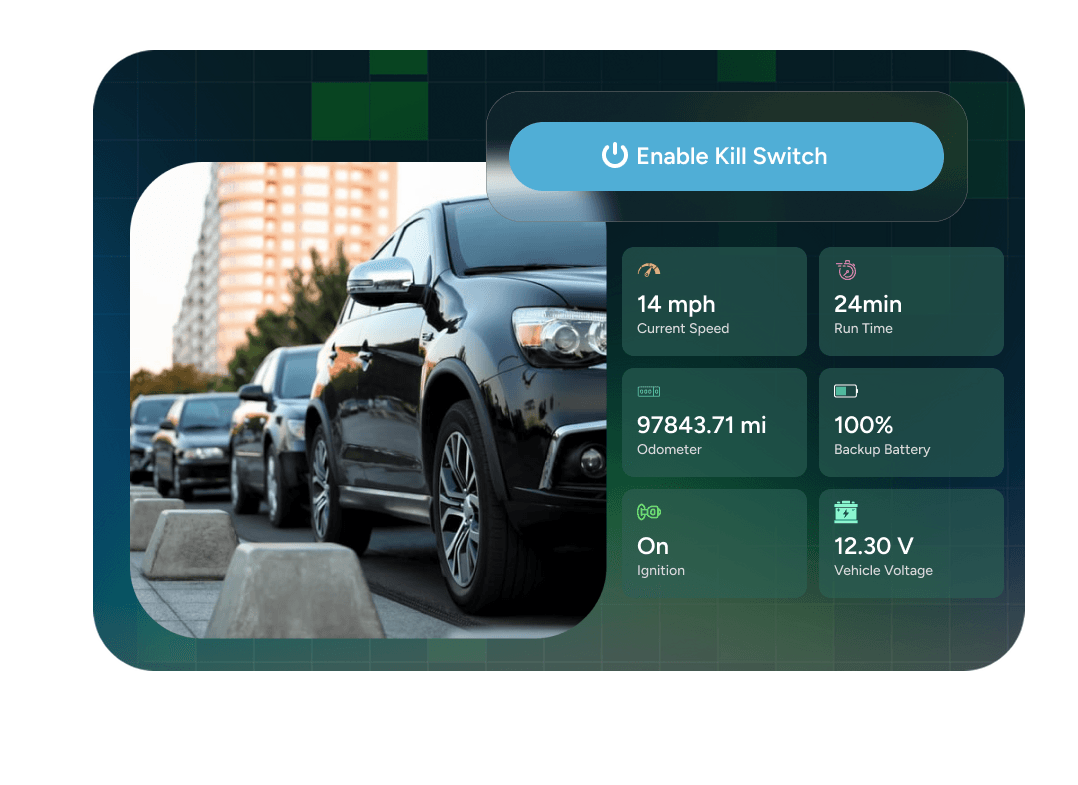
Trackhawk's GPS kill switch is an intelligent anti-theft and fleet security device that integrates directly with your fleet tracking platform giving you both visibility and control from one place.
Combined with route optimization and live GPS fleet tracking, the kill switch transforms a passive tracking device into an active fleet management tool. You don't just see where your vehicles are, you control what they can do.
Trackhawk's fleet management tracking platform combines hardwired and battery-powered GPS devices with cloud-based software to give you automated control over every vehicle and asset in your fleet.
Here's how it works in practice:
Set your rules once — define geofence boundaries, operating hours, speed thresholds, or alert conditions per vehicle. Trackhawk's fleet tracking software monitors against those rules automatically, around the clock.
Get instant alerts — when a condition is triggered (vehicle leaves an authorized zone, moves after hours, exceeds a speed limit), you're notified immediately via the mobile app or web dashboard.
Take action remotely — for vehicles equipped with a GPS tracker with remote disable, Trackhawk can immobilize the vehicle automatically when rules are violated — no manual intervention needed.
Monitor everything in one place — live GPS location, driver behavior scores, route history, geofencing activity, and real-time alerts all surface in the same fleet management dashboard.
Example: A rental vehicle leaves your lot at 2 AM outside authorized hours. Trackhawk detects the movement, fires an alert, and can disable the vehicle without anyone watching the screen.
That's the difference between GPS tracking and a true fleet management tracking system: one shows you what happened, the other acts on it.
Trackhawk's fleet management tracking software gives you automated controls that run 24/7 with no manual monitoring required. Here's what you can enforce from the platform:
Geofence Boundaries — Draw authorized zones around job sites, lots, or service areas. When a vehicle crosses the boundary, Trackhawk alerts you instantly and can trigger a remote disable.
Time-Based Restrictions — Lock vehicles to specific operating hours. Any movement outside that window flags automatically in your fleet management dashboard.
Speed Monitoring — Set thresholds per vehicle or driver. Alerts fire the moment a threshold is crossed, creating a timestamped record for coaching or liability.
Unauthorized Movement — Detects towing or movement without ignition. Critical for lot security, rental fleets, and equipment yards.
Power Disconnect Alerts — If anyone tampers with or removes the tracker, you're notified immediately through the fleet management tracking platform.
Every control is managed from the same dashboard you use for live GPS tracking, driver monitoring, and reporting — one login, full visibility across your entire operation.
Yes. Trackhawk's fleet management tracking software automates your entire maintenance workflow based on real vehicle data not calendar guesses.
Mileage Tracking — Your fleet tracking dashboard alerts you automatically when any vehicle hits its service interval, based on live odometer data pulled directly from the device.
Engine Hours — For equipment and heavy-use vehicles, Trackhawk tracks hours of operation and triggers service reminders when hour-based thresholds are reached. Critical for construction equipment fleets.
Diagnostic Reports — The OBD-II plug-and-play tracker monitors vehicle health in real time, surfacing fault codes before a minor issue becomes a breakdown.
Usage Reports — See utilization patterns across your entire fleet — which vehicles are overworked, which are sitting idle, and where you can redistribute to cut wear costs.
Fleet Maintenance Scheduling — Schedule service for multiple vehicles based on actual usage data. Your GPS fleet tracking system tells you what needs attention and when, so nothing slips through.
Proactive maintenance is one of the highest-ROI features in any fleet management software the average fleet operator spends 3–5x more on reactive repairs than scheduled service. Trackhawk flips that ratio by keeping every vehicle's service status visible in one dashboard.
Trackhawk's fleet management tracking platform automates the operational tasks that eat up your team's time, from dispatch to reporting you will run a leaner, more profitable operation.
Timesheet Automation — Hours of service are logged automatically based on GPS ignition events. No manual timesheets, no disputes, just accurate records tied to real vehicle data.
Route Optimization — Trackhawk analyzes live traffic and stop sequences to assign the most efficient routes across your fleet. Less fuel burned, more stops completed per shift.
Asset Utilization Reports — Your fleet management dashboard surfaces underused vehicles and equipment automatically. Identify what's sitting idle, redeploy it, and stop paying to insure assets that aren't earning.
Customer ETA Updates — Share live arrival times directly from your GPS fleet tracking system. Your team always has an accurate answer when a customer asks where their driver is.
Fuel Usage Monitoring — Track consumption trends per vehicle and across the fleet. Spot the routes, drivers, or vehicles driving up your fuel costs and act on it.
Driver Behavior Alerts — Harsh braking, rapid acceleration, speeding, excessive idling — every event is flagged in real time and logged for driver coaching and liability protection.
Every one of these features runs inside the same fleet management software dashboard one login, no switching between tools, full visibility from vehicle to driver to asset.
Trackhawk's GPS kill switch is an intelligent anti-theft and fleet security device that integrates directly with your fleet tracking platform giving you both visibility and control from one place.
Combined with route optimization and live GPS fleet tracking, the kill switch transforms a passive tracking device into an active fleet management tool. You don't just see where your vehicles are, you control what they can do.