
Almost every driver can benefit from some kind of dash cam. But “some kind” is doing a lot of work in that sentence, there are two very different products hiding under the same name.
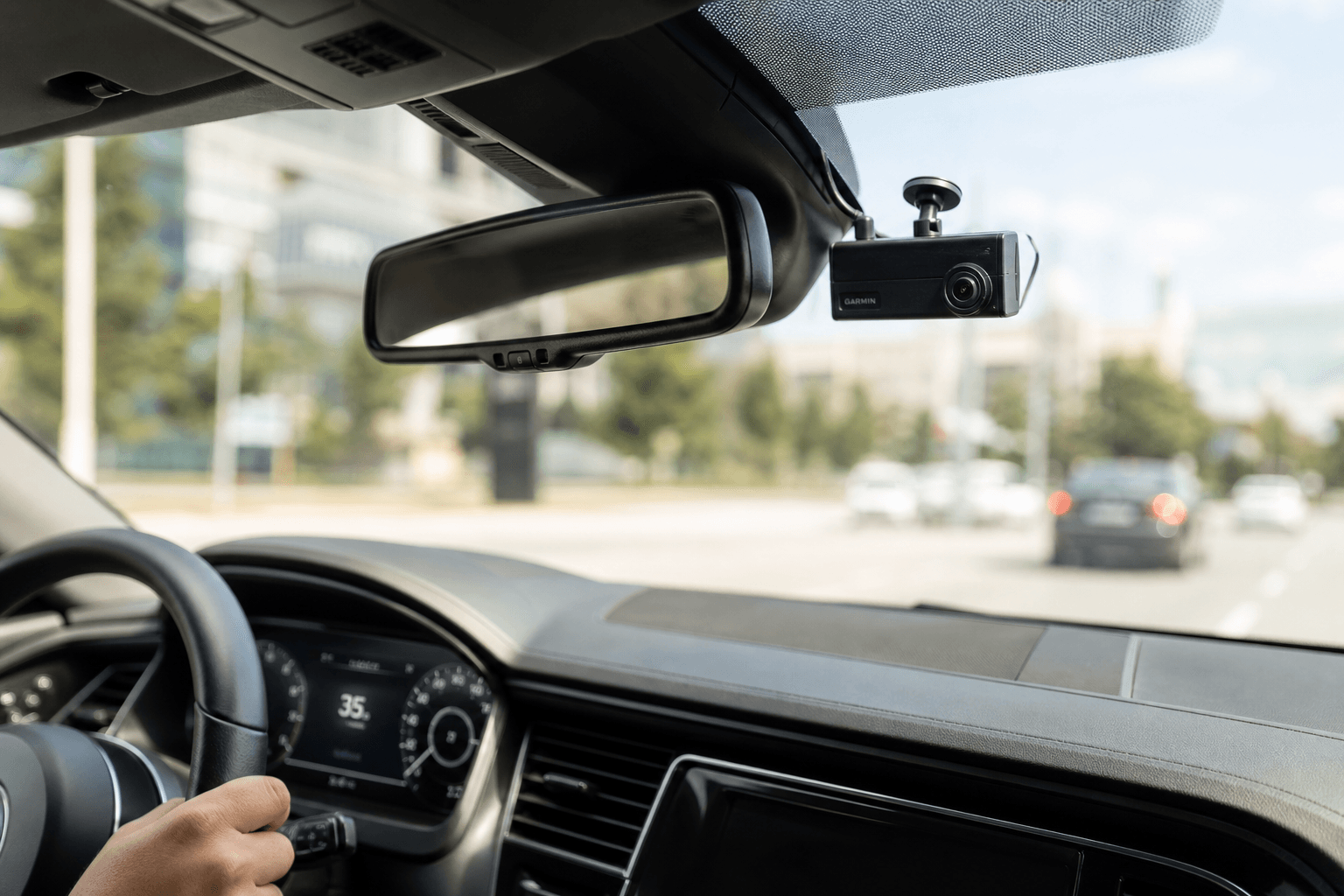
A consumer dash cam records. A data-enabled fleet dash cam reports.
If you're an individual driver who wants footage in case something happens, a standard dash cam is enough; it sits quietly, records on a loop, and gives you a backup if you ever need it. But if you're managing drivers you can't physically see all day (ie. a delivery fleet, a service crew, a trucking operation) “backup footage after the fact” isn't really what you need. You need to know what's happening now: who's speeding, who's braking hard, who's idling somewhere they shouldn't be. That's a different job, and it takes a different device.
Who Actually Needs a Dash Cam?
The honest answer depends on one question: are you trying to record an incident, or prevent one?
A backup-in-case-something-happens driver, one car, one commuter, one occasional road trip, is well served by a standard consumer dash cam. A business managing multiple drivers across multiple vehicles has a different problem entirely: visibility. You can't ride along with every driver, every day, so the dash cam has to do the watching for you, in real time, not just after a claim gets filed.
What Are the Essential Features to Look for in a New Dash Camera
Before comparing consumer vs. fleet, it helps to know what actually separates a decent dash cam from a forgettable one:
- Camera quality and field of view: road-facing cameras in the 130–140° range capture enough of the lane and shoulder to be useful without distorting the footage.
- Connectivity: Wi-Fi or Bluetooth lets you pull footage from your phone; LTE connectivity means the device can upload footage and location data continuously.
- Power and installation: some dash cams run off a separate battery; others draw power directly from the vehicle with a backup battery, so recording continues even when the vehicle is off.
- Storage: higher local storage capacity buys more history before older footage gets overwritten.
- Sensors: accelerometer and gyroscope data let a dash cam detect hard braking, sharp turns, or impacts.
None of this is exclusive to fleet-grade hardware. A good consumer dash cam can check most of these boxes. Where it stops is the next section.
Consumer Dash Cam vs. Data-Enabled Fleet Dash Cam: What's the Difference
A consumer dash cam is a recorder. It captures video, stores it locally, and that's the extent of its job. You get footage if something happens; for most individual drivers, that's genuinely enough.
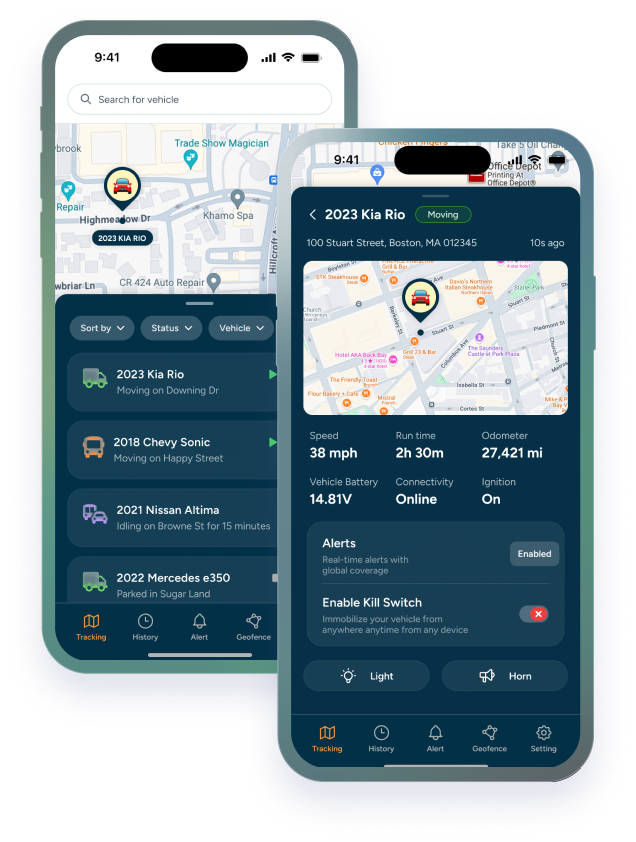
A data-enabled fleet dash cam does that, plus something a consumer device isn't built for: it turns driving into live, structured data. A system like Trackhawk's LTE-connected fleet dash cam pairs a road-facing and a cabin-facing camera with real-time GPS tracking — updating as often as every 5 seconds — and onboard sensors, so a fleet manager sees location, speed, and driver behavior as it happens, not after the fact.
|
The Practical Difference
|
If your only requirement is a backup just in case, a consumer dash cam covers it — no need to pay for connectivity and fleet software you'll never log into. If you're actively trying to reduce risk across drivers you can't personally supervise, the data layer is the whole point.
Top-Rated Dash Cams with GPS Tracking Features
Not all “dash cam with GPS” listings mean the same thing. Some dash cams tag each video clip with GPS coordinates for reference; useful, but static. Others provide live location tracking as a standing feature, independent of whether you're pulling up footage.
A few names come up consistently in this category, each solving the GPS question a little differently:
- Viofo: built-in GPS modules in several of its dash cam lines, used mainly to log speed and route for individual drivers reviewing their own footage.
- Thinkware: GPS-enabled models paired with safety camera alerts, aimed at consumer and light commercial use.
- BlackVue: cloud-connected dash cams with GPS logging, popular for remote live-view access to a single vehicle.
- Trackhawk GPS: built specifically for fleets rather than individual vehicles, pairing dual-camera video with continuous, real-time GPS tracking (updating as often as every 5 seconds) on a single LTE connection, so location and footage live in one system instead of two.
That last distinction is the one that matters most for fleet buyers. Real-time GPS tracking means you can see where a vehicle is right now, not just where it was when a clip was recorded. Paired with geofence alerts and low-battery or connectivity alerts, GPS-integrated dash cams give visibility that a plain GPS tracker or a plain dash cam can't provide on their own — and remove the need to run two separate systems side by side.
Which Dash Cams Offer Advanced Driver Assistance Systems
“Driver assistance” gets used loosely, so it's worth being specific about what it actually means on a data-enabled dash cam. It's not the same as the collision-avoidance systems built into newer vehicles. On a fleet dash cam, driver assistance typically means:
- In-cab coaching: a heads-up display or audible alert that flags a behavior while it's happening, rather than in a report reviewed days later.
- Behavior-based alerts: using accelerometer and gyroscope data to flag harsh braking, sharp cornering, or sudden impacts in real time.
- Cabin monitoring: a driver-facing camera paired with the road-facing one on the same device, though road-facing-only configurations exist for fleets that prefer not to monitor the interior of the cab.
The common thread is timing: the value isn't just having the footage later, it's catching the behavior close enough to when it happens that you can actually coach a driver on it.
Signs Your Driver Problem Is Worth the Extra Cost
Here's the honest cost-benefit question: is a data-enabled dash cam worth paying more for, or is a plain dash cam enough?
|
Worth the Extra Cost If:
|
|
Probably Not Worth It If:
|
If it's the second list, save your money and get a consumer dash cam. If it's the first, the data layer is what you're actually paying for — not the camera itself.
How Much Does Professional Dash Camera Installation Typically Cost
Installation cost depends heavily on how the device is powered. Hardwired systems that tap directly into a vehicle's fuse box typically require a professional install, which adds both time and labor cost per vehicle; a real consideration if you're outfitting a fleet rather than one car.
OBD-II-powered dash cams sidestep that entirely. Because they draw power through the vehicle's existing OBD-II port; with a backup battery to keep running when the vehicle is off — installation is plug-and-play: no wiring, no professional install fee, and no downtime waiting on a technician per vehicle. For a fleet manager evaluating total cost across multiple vehicles, that difference in installation approach can matter as much as the price of the hardware itself.
Bottom line: if you want a record just in case, a consumer dash cam is the right call. If you're actively managing driver behavior across a fleet, a data-enabled dash cam with real-time GPS and connected alerts is what actually solves the problem you have.