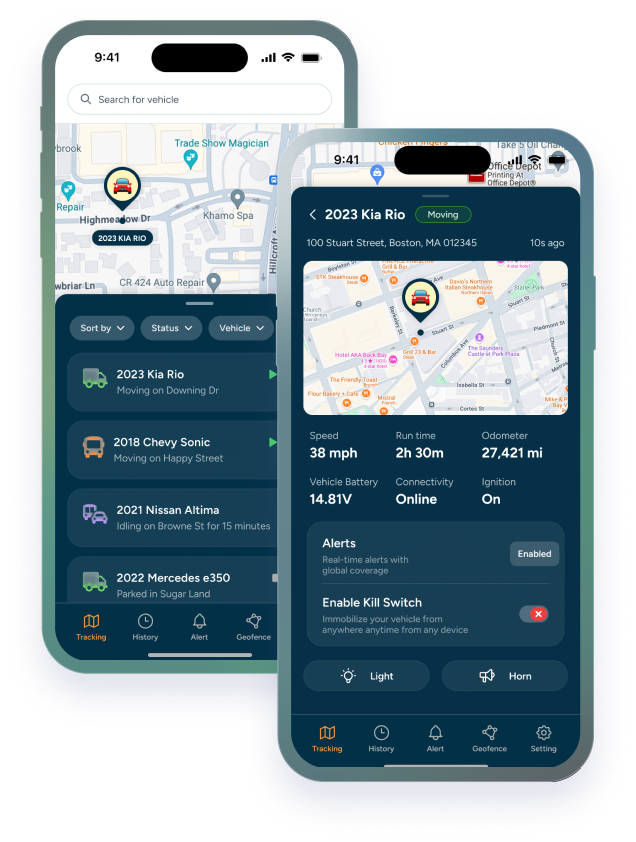

Real-time GPS tracking gets most of the attention. See where your trucks are right now. Dispatch the closest tech. Watch the live map.
That's valuable. But it only tells you what's happening in this moment. The moment passes, and it's gone.
The field service owners who get the most out of GPS tracking aren't just watching the live map. They're using something more powerful: route history. The complete, timestamped record of everywhere every vehicle has been; available for replay at any time.
Think of it as a playback button for your entire operation. Any truck. Any day. Any job. Scrub back through the timeline and see exactly what happened, when it happened, and where.
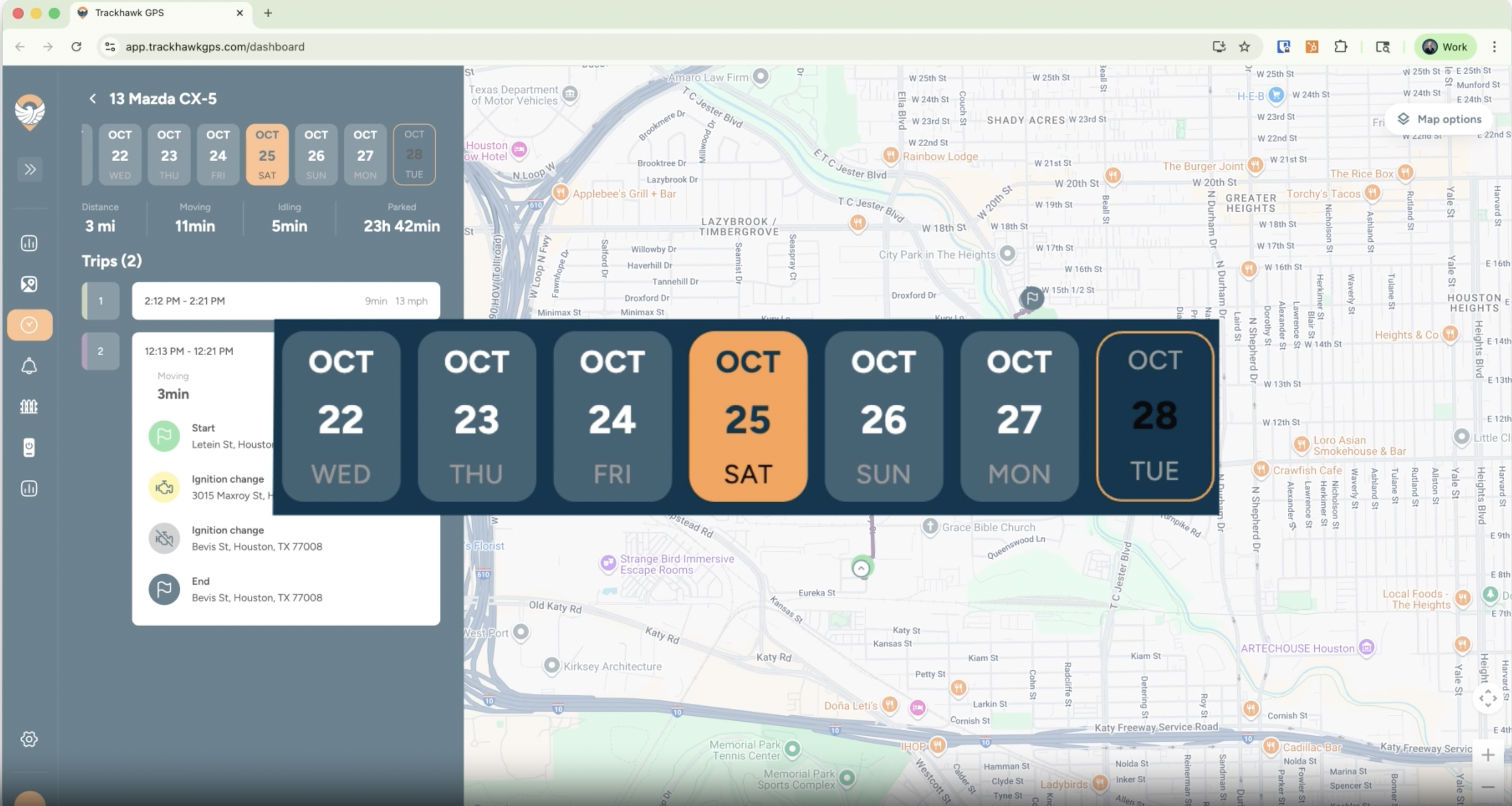
That capability changes how you verify work, resolve disputes, coach your team, optimize your routes, and plan for growth. Here's how.
Why Real-Time Tracking Only Tells Half the Story
Live GPS tracking answers one question: *where are my trucks right now?*
It's an important question. But it's not the only question that matters when you're running a field service operation.
The questions that actually cost you money, the ones that come up in billing disputes, payroll reviews, insurance claims, and performance conversations are almost always about the past:
|
▸ |
"Did the tech actually show up to that job on Tuesday?" |
|
▸ |
"How long was he on-site, the invoice says 3 hours but the customer is disputing it." |
|
▸ |
"Was the truck at the shop at 8 AM or did he go somewhere else first?" |
|
▸ |
"Why does this tech always take longer between jobs than everyone else?" |
|
▸ |
"Was the vehicle used after hours last weekend?" |
A real-time tracking dashboard alone can't answer those. Route history can answer all of them, instantly, objectively, and with timestamped precision going back.
|
REAL-TIME TRACKING DASHBOARD Shows you where trucks are right now. Essential for dispatch. Not really useful for anything that happened yesterday. |
ROUTE HISTORY Shows you everywhere every truck has been. The record that answers every question after the fact. |
What Route History Actually Records (And How Far Back It Goes)
The Trackhawk GPS app stores up to one full year of route history for every vehicle in your fleet. That's not a rolling 30-day window. Not 90 days. Twelve months of complete, replayable location data, available any time you need it.
Here's exactly what gets captured for every trip, every day:
|
Data Point |
What It Tells You |
How Far Back |
|
Vehicle Location |
Exact GPS location at every moment |
Up to 1 year |
|
Route Taken |
Full path from start to finish of every trip |
Up to 1 year |
|
Arrival Time |
Timestamp when vehicle entered job site |
Up to 1 year |
|
Time on Site |
Duration between arrival and departure |
Up to 1 year |
|
Departure Time |
Exact moment vehicle left the location |
Up to 1 year |
|
Idle Events |
When, where, and how long vehicle sat running |
Up to 1 year |
|
Stops Made |
Every location visited, with timestamps |
Up to 1 year |
|
Speed Data |
Speed at any point along the route |
Up to 1 year |
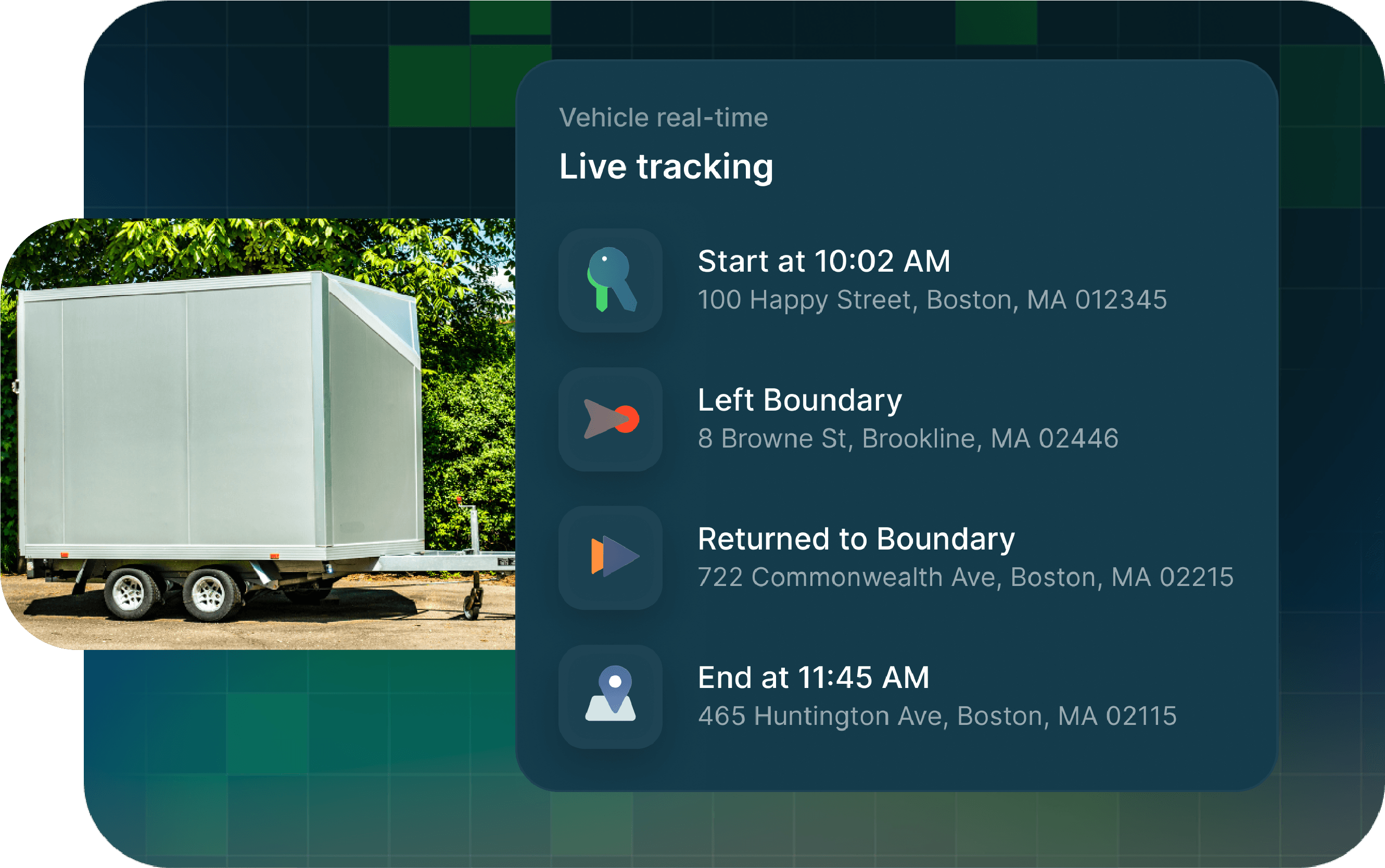
Every data point in that table is tied to a specific timestamp and GPS coordinate. It's not an approximation. It's not a self-reported log. It's the actual movement record of your vehicle, captured automatically, stored securely, and available for replay through Trackhawk's web platform or mobile app.
|
WHY ONE YEAR MATTERS Most GPS systems store 30–90 days of history. Trackhawk stores up to a full year. That means when a billing dispute surfaces 4 months after a job, when an insurance claim references an incident from last quarter, or when you want to compare this winter's routing efficiency against last winter's, the data is there. |
How Service Owners Use Playback to Verify Job Completion
Job verification is one of the most practical daily uses of route history, and one of the most under-appreciated until you need it.
Here's how it works in practice: a customer calls and says the tech didn't complete the job, or didn't show up at all. Without route history, you're in a he-said-she-said situation. You ask your tech, he says he was there, the customer says otherwise, and you're stuck choosing who to believe.
With Trackhawk route history, you open the playback for that vehicle, navigate to that date, and watch. You see the truck pull into the job site address. You see the timestamp. You see how long it was there. You see when it left.
That's not a he-said-she-said situation anymore. That's a documented record.
|
▸ |
Arrival verified: exact timestamp of when the vehicle entered the job site location |
|
▸ |
Duration confirmed: how long the truck was on-site down to the minute |
|
▸ |
Departure logged: when the tech left, with a GPS coordinate to confirm the location |
|
▸ |
Route documented: the full path to and from the job, confirming the tech went where the job required |
This works in both directions. If a customer is wrong about a no-show, the data proves it — and protects your tech's reputation. If a tech cut a job short, the data shows that too — and gives you the basis for a coaching conversation grounded in fact, not suspicion.
Resolving a Billing Dispute in Minutes with Route Data
Billing disputes are one of the most time-consuming and morale-damaging things a field service company deals with. They pull owners and managers away from productive work, create tension with customers, and sometimes result in revenue write-offs that didn't need to happen.
Route history turns a potential multi-day dispute into a 5-minute conversation.
Here's the scenario: a commercial customer receives an invoice for a 2.5-hour service call. They're disputing it, claiming the tech was only there for 45 minutes. Without data, you're negotiating from memory against a customer who has their own version of events.
With Trackhawk GPS route history, you pull the playback:
|
▸ |
Truck entered the geofenced job site address at 9:06 AM |
|
▸ |
Truck departed the job site at 11:38 AM |
|
▸ |
Total verified on-site time: 2 hours, 32 minutes |
|
▸ |
Route history confirms no other stops were made between dispatch and arrival |
You send that data to the customer. The dispute ends. The invoice gets paid.
More importantly, you didn't have to negotiate, apologize, or discount work that was legitimately completed. The data did the work — and it took less time to pull than it would have taken to write a follow-up email.
|
THE REVENUE PROTECTION CASE If route history resolves even one billing dispute per month that would otherwise result in a write-off or discount, at an average of $200 per incident that's $2,400 a year in protected revenue. From a tool that was already running in the background. |
Catching Patterns; not Just Incidents Across Your Fleet
Single incidents are easy to dismiss. A tech who was late once had a bad day. A truck that sat idle for 30 minutes on a Thursday might have had a legitimate reason.
Patterns are harder to explain away, and impossible to see without historical data.
Route history gives you the ability to look across days, weeks, and months and ask: *is this a one-time thing, or is this what's actually happening?*
|
▸ |
The tech who's always slow between jobs: route history shows he's making a consistent 20-minute stop at the same location every Tuesday and Thursday. Not traffic. Not a job site detour. A pattern. |
|
▸ |
The fuel bill that keeps coming in high: idle time history shows one vehicle averaging 45 minutes of daily idle, three times the fleet average. One driver. Consistent behavior. Quantifiable cost. |
|
▸ |
The overtime that never quite makes sense: clock-out times on the app don't match when the vehicle actually returned to the shop. The gap is 20–35 minutes, every Friday. |
|
▸ |
The top performer nobody's noticed: route history shows one tech consistently takes the most efficient paths, arrives earliest, and finishes fastest. That's a pattern worth recognizing, replicating, and rewarding. |
None of these patterns are visible from a live map. They only emerge when you can look back across time, and that's exactly what a route optimization tool powered by historical data makes possible.
From Playback to Planning: How History Makes Future Routes Smarter
Here's where route history becomes something more than a record-keeping tool; it becomes the foundation of your route planning software strategy.
Most route optimization software works by calculating the most efficient path based on job locations and estimated times. That's useful. But it's working from assumptions — assumed job durations, assumed traffic conditions, assumed tech performance.
Route history replaces assumptions with facts.
This is the loop that separates route optimization software from a GPS dot on a map: you use today's route history to build better routes tomorrow. And better routes mean more jobs per tech per day, lower fuel spend, and customers who get accurate ETAs because your scheduling is based on real data, not guesswork.
|
ROUTE PLANNING WITHOUT HISTORY Based on map distance and estimated times. Accurate in theory. Drifts from reality the moment real-world variables appear. |
ROUTE PLANNING WITH HISTORY Based on actual travel times, real job durations, and proven tech performance. Gets more accurate over time as the data grows. |
|
The best route for tomorrow is built from what actually happened today. One year of history means one year of smarter planning. |
Real-time tracking tells you where your fleet is. Route history tells you everything else; what actually happened, how long it took, where the patterns are, and how to build a smarter, more efficient operation going forward.
Trackhawk GPS stores up to one full year of route history for every vehicle. That's 365 days of replayable, searchable, dispute-resolving, pattern-revealing, route-optimizing data. Running quietly in the background. Available the moment you need it.