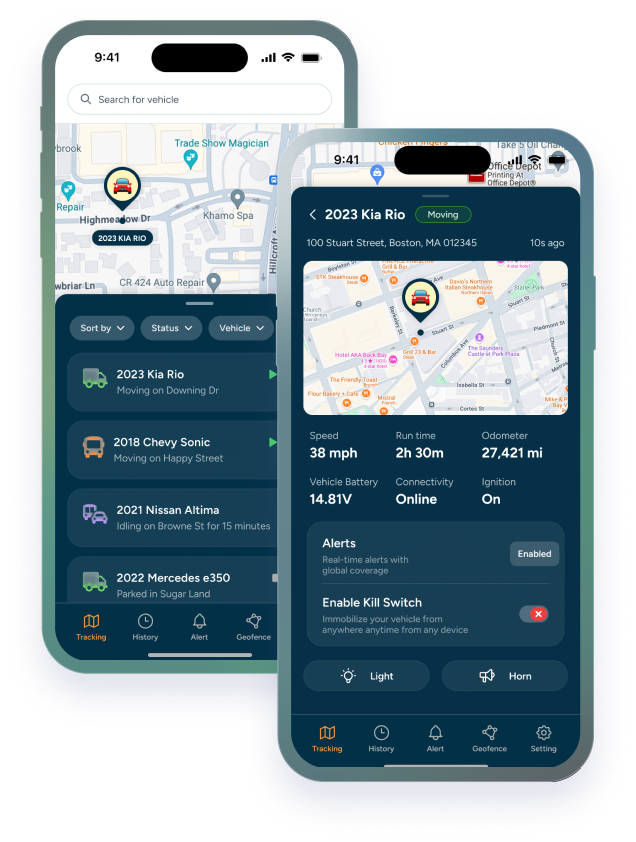

GPS fleet maintenance software works best when it doesn't feel like a separate product bolted onto the tracking you already rely on. The Trackhawk maintenance module was built on that premise: fleet maintenance software with GPS tracking underneath it, using the same location, mileage, and engine-hour data the platform is already collecting, rather than asking for a second data source to keep in sync.
The stakes for getting this right aren't small; missed preventive maintenance is commonly linked to as much as a 10X increase in eventual repair costs, turning a routine service into an emergency one. That's the problem the module exists to prevent, not by adding another system to check, but by making the maintenance status as visible as the vehicle's live location already is.
This is the full tour: how the module is structured, what's available on web today, and where is our maintenance module is headed as the mobile experience catches up. If you're evaluating the Trackhawk maintenance module in depth, or just want a clear picture of how the pieces fit together, this covers it end to end.
The three building blocks: templates, schedules, and service logs
Everything in the module rests on three connected pieces. Fleet maintenance templates and schedules define the rules; what service is due, and on what trigger. Schedules are the live status generated from those rules for each vehicle: due-soon, overdue, or on track. Service logs are the record of what actually happened, tied to the vehicle and the date.
A fleet maintenance management system built this way keeps each piece doing one job. Templates don't try to also be the history. Logs don't try to also define the rule. That separation is what makes fleet service log software useful over time; the record stays accurate because it's not also carrying the burden of predicting what's next.
Setting up a maintenance template (and letting the system do the watching)
Preventive maintenance templates are built around a trigger — mileage, engine hours, or time — and can combine more than one, so a template fires on whichever hits first. Once a template is assigned to a vehicle or a group of vehicles, automated maintenance schedules take over from there: no one has to remember to check an odometer or a running-hours count manually.
Fleet maintenance reminder setup is a one-time task per template, not a recurring one per vehicle. Assign the template, and every vehicle it covers inherits the same logic going forward, recalculating automatically each time a service gets logged.
What's new on web: notifications that come to you
Fleet maintenance notifications now reach fleet managers directly on web rather than requiring a manual check of the maintenance module. Web fleet maintenance alerts surface due-soon and overdue status as part of the normal workflow; on the dashboard, on the vehicle's own page, and inside the module itself.
Trackhawk maintenance notifications are designed to show up where a fleet manager already spends their day, rather than adding one more place that needs a separate check-in habit. In practice, that covers creating schedules based on mileage, engine hours, or time; getting notified the moment something goes due-soon or overdue; logging completed maintenance to build an accurate service history; and tracking maintenance costs by vehicle — all viewable directly from the dashboard or a vehicle's own history, without opening a separate tool.
What's new on mobile: viewing schedules and marking service done on the go
The mobile fleet maintenance app covers the two things most useful in the field: viewing upcoming and overdue schedules for any vehicle, and marking a service complete once it's actually done. Mobile fleet maintenance tracking is built for the moment you're standing next to the vehicle, not for planning work back at a desk.
To mark fleet service complete on mobile, open the vehicle from the Maintenance tab, select the due item, confirm the completion date, and add a note if there's anything worth logging. The update syncs back to web immediately, so the service history stays consistent no matter which view someone checks next.
Self-serve group management: fixing your own fleet structure without a ticket
Self-service fleet group management means a fleet admin can create, adjust, or reassign vehicle groups directly, without submitting a support ticket or waiting on an account rep. For fleets that reorganize often — by region, by job site, by vehicle class — that flexibility matters as much as the maintenance tracking itself.
Fleet group management software that requires outside help for every structural change adds friction exactly when a fleet is already busy adapting to something else. The ability to organize fleet maintenance groups on your own schedule keeps templates, alerts, and reporting aligned with how the fleet is actually structured today, not how it was structured when the account was first set up.
What's next for maintenance at Trackhawk
Trackhawk maintenance software updates are ongoing rather than a single release and done. The direction is consistent with everything above: closing the gap between what's possible on web and what's possible on mobile, and continuing to tie maintenance status more tightly to the same real-time data already powering location tracking.
The future of Trackhawk maintenance tracking follows the same principle the module launched with: GPS fleet maintenance software should feel like one system, not a maintenance tool that happens to live next to a tracking platform. Staying ahead of maintenance is consistently cheaper than catching up after something breaks; the module is built to make staying ahead the easier option by default.
If you are interested in learning more about our maintenance module and how it connects to the rest of our platform, do not hesitate to book a demo with our sales team, it's free and very useful.