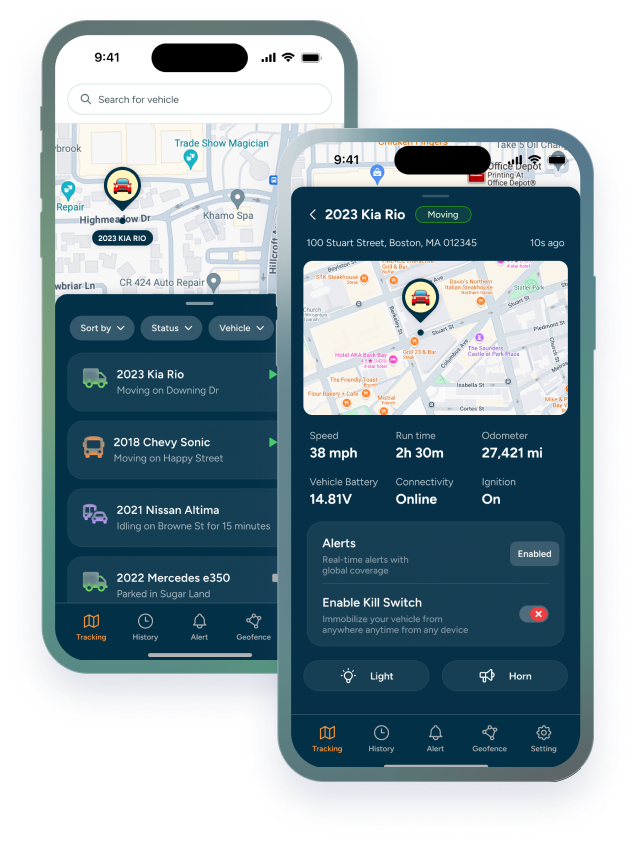

When people shop for GPS systems for heavy equipment, most of the attention goes to the hardware. Which tracker, wired or battery, how rugged. That matters, but the device is something you install once. The software is what you open every day, and it decides whether the data actually helps you run your fleet.
A good heavy equipment monitoring system turns location pings into answers: where your machines are, whether they're being used the way they should be, when they need service, and when something is wrong. Here are the features worth looking for, and the questions to ask before you sign up.
|
GOOD TO KNOW The quick version: look for live location with history, flexible geofencing, alerts you can customize, engine hours, built-in maintenance tracking, kill switch support, one platform for every device type, and an app your field team will actually use. |
What a Heavy Equipment Monitoring System Should Do
Before comparing feature lists, it helps to know what you're asking the software to do. For most construction fleets, it comes down to four questions you should be able to answer in a few clicks:
- Where is it? Every machine, trailer, and truck, right now and over the past weeks.
- Is it being used the way it should be? On the right job, during the right hours, by the right people.
- Does it need service? Based on how much it's actually run, not just the calendar.
- Is something wrong? Movement after hours, a tracker losing power, a machine leaving the site.
If a platform makes any of these hard to answer, it doesn't matter how long its feature list is.
8 Features That Matter Most in Heavy Equipment Tracking Software
1. Live location and location history
Live location is the baseline. What separates platforms is how often it updates and how easy the history is to use. Location history is what you'll lean on when a customer disputes a charge, a sub says a machine was never on their site, or you need to show police where a stolen machine went. Look for a timeline you can scroll by date, not just a dot on today's map.
2. Geofencing that fits how you work
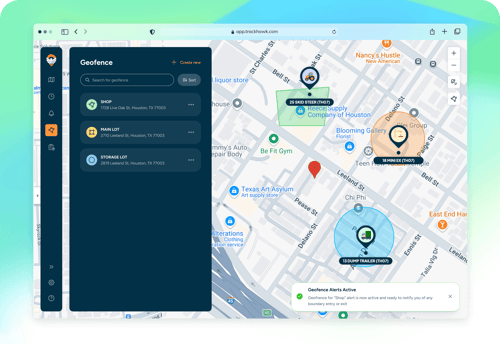
Your yard, every active jobsite, and any area a machine shouldn't leave should each have its own boundary. The software should make it easy to draw them, edit them as jobs open and close, and tie each one to the right alerts. If adding a new jobsite takes a phone call to support, it won't get done. We went deeper on this in can geofencing track heavy equipment movement on construction sites.
3. Alerts you can customize, plus defaults that work on day one
Alerts are where heavy equipment tracking turns into action. At minimum, you want alerts for:
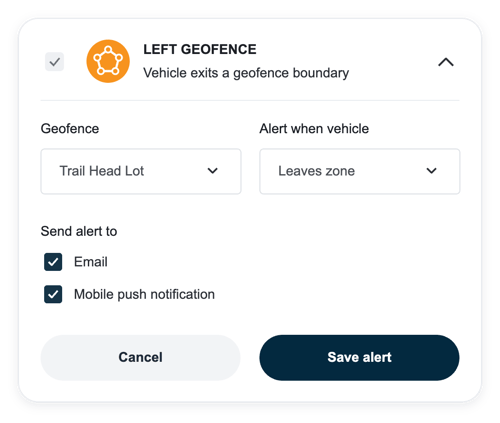
- Equipment leaving a geofence.
- Movement after hours or on weekends.
- A tracker losing power or being tampered with.
- Low battery on wireless trackers.
Just as important is control over who gets each alert, and how. The yard manager and the owner don't need the same notifications. Too many alerts and people start ignoring them. Too few and you miss the one that mattered.
|
GOOD TO KNOW Every new Trackhawk device comes with default alerts already on, including Device Power Disconnected, so equipment is covered from the day it's installed. You can add custom alerts and boundaries on top of those. |
4. Engine hours and usage data
Location tells you where a machine is. Engine hours tell you how hard it's working. That's what you need to spot idle equipment you're paying for, compare hours against timesheets, bill rentals accurately, and catch the weekend side job. It's also the data behind most of the unauthorized use we covered in can GPS tracking reduce theft and unauthorized use of construction equipment.
5. Maintenance tracking built into the same platform
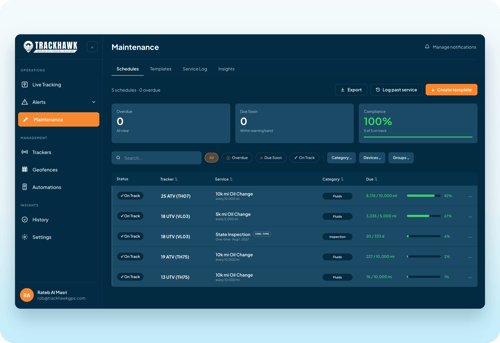
Heavy equipment is serviced by hours, not miles. If your tracking software already logs engine hours, it should be able to schedule service from them too. Running maintenance in a separate spreadsheet means someone has to copy numbers across, and that's where service gets missed. Trackhawk's Maintenance Module schedules service by time, mileage, or engine hours inside the same platform.
6. Remote kill switch support
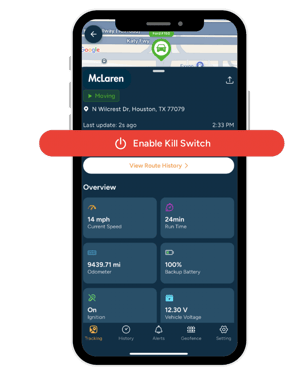
For compatible powered equipment, a remote kill switch lets you stop a machine from restarting once it's shut off. That turns an alert into something you can act on, whether the machine was stolen or a rental is overdue and off-contract. Check two things: which of your machines are compatible, and how the software protects the command so it can't be triggered by accident.
7. One platform for every tracking device for heavy equipment you use
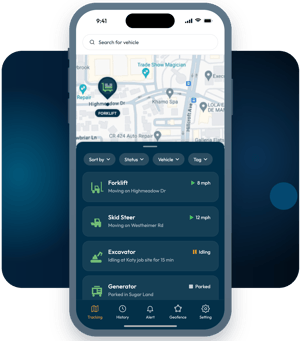
Construction fleets are mixed. Excavators and loaders can take a hardwired tracker. Trailers, generators, light towers, and attachments often need a battery-powered one. Crew trucks may need something else again. The software should show all of them in one place, so you're not checking machines in one app and trucks in another. Before you choose a platform, make sure it supports the right tracking device for heavy equipment for each asset you own. Our guide on which tracker fits which machine can help with that part.
8. An app the field will actually use
The best features don't matter if your foreman can't find a machine on his phone in ten seconds. Look for a mobile app that does the daily jobs well, a web dashboard for the bigger picture, and a way to group equipment by site, type, or customer. Ask for a demo and have the person who'll use it most try it.
Contractors and Rental Companies Weigh These Differently
The features are the same, but what matters most depends on whether the equipment stays in your hands.
|
Feature |
Contractors |
Rental companies |
|---|---|---|
|
Geofencing |
Keep machines on the right job site |
Confirm equipment is where the customer said it would be |
|
Engine hours |
Job costing and utilization |
Accurate billing and overuse disputes |
|
Location history |
Find equipment, settle internal mix-ups |
Overdue returns and charge disputes |
|
Kill switch |
Theft response |
Theft and off-contract or overdue rentals |
|
Maintenance |
Less downtime mid-project |
Equipment ready for the next rental |
See how this works for construction equipment and for construction equipment rental companies. We also covered why rental companies need a different GPS strategy than contractors.
Questions to Ask Before You Choose a Platform
|
Ask this |
Why it matters |
|---|---|
|
How often does location update? |
Slow updates leave gaps when something moves |
|
Can I set my own alerts and recipients? |
Fixed alerts lead to noise or missed events |
|
Does it track engine hours and schedule maintenance? |
Saves a second system and missed service |
|
Does it support both hardwired and battery trackers? |
Covers the whole fleet, not just powered machines |
|
Is there a long-term contract? |
Lock-in makes switching expensive if it doesn't fit |
|
What do training and support look like? |
A tool nobody learns to use doesn't get used |
|
What's the full cost per asset? |
Hardware, subscription, and installation add up |
For the cost side, here's what a construction fleet GPS tracking system costs. If you're ready to compare providers, see the best GPS tracker for heavy equipment.
Choose the Software, Not Just the Tracker
The tracker gets the data. The software decides whether anyone uses it. A heavy equipment monitoring system that answers where, how, when, and what's wrong, without making your team work for it, is the one that pays for itself.
Want to see Trackhawk's software on your own fleet? Tell us what you run and how you work. Book a free demo.