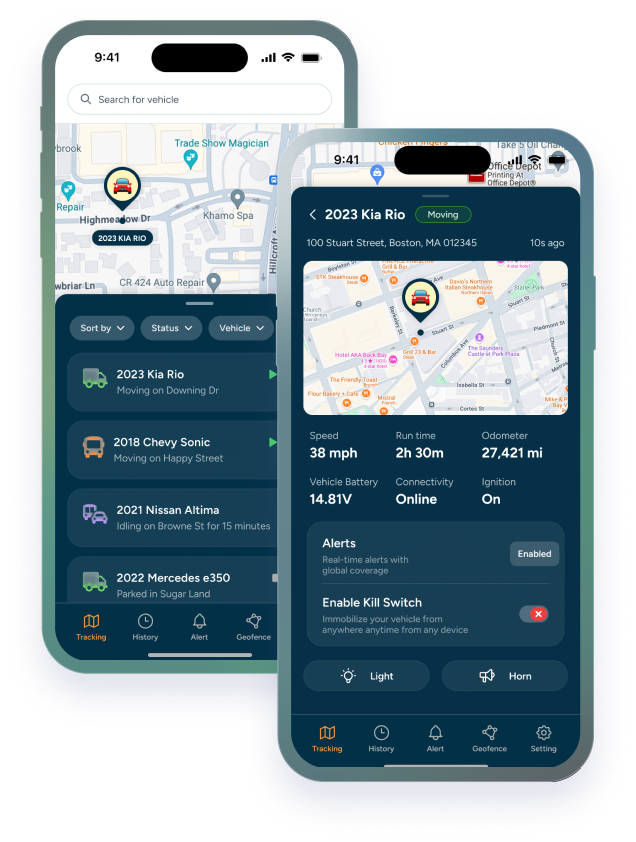

Every lease starts with a handoff. A lessee signs the agreement, walks around the truck, takes the keys, and drives off. For many leasing companies, that moment is where active oversight effectively ends, and where risk quietly begins to accumulate.
Fleet lease management software changes that dynamic entirely. But the technology only works if it's configured and active before the truck leaves the lot. The ten minutes spent on pre-handoff setup, confirming GPS is live, geofences are drawn, mileage baselines are recorded — are the ten most valuable minutes of any lease term. Everything that happens after depends on the foundation you build at that moment.
This checklist is for truck leasing companies that want to stop managing leases reactively and start protecting assets from day one. Use fleet asset tracking software alongside it as your operational backbone — and run through every item before you hand over the keys.
What to Verify Before a Truck Leaves Your Lot
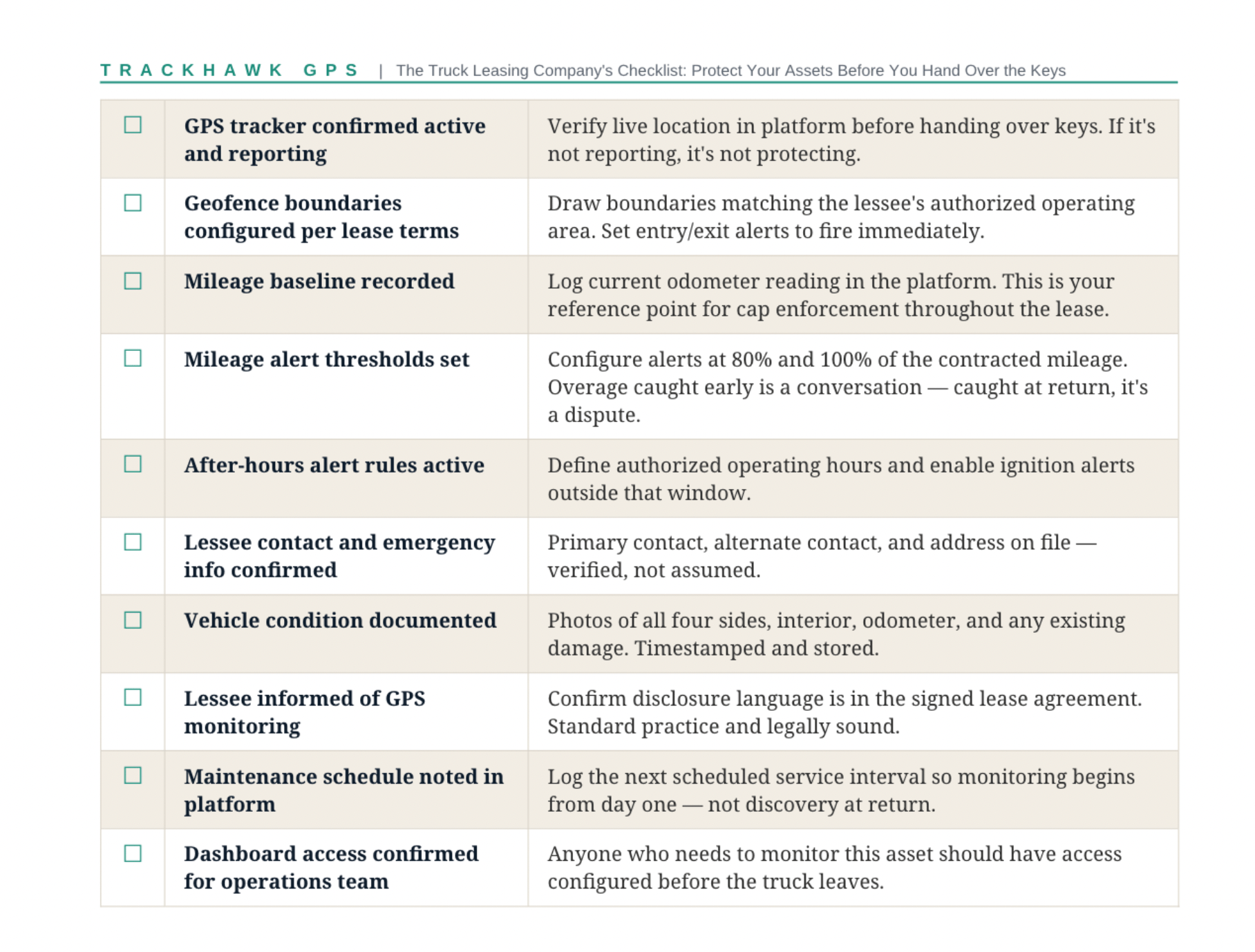
The pre-handoff window is the highest-leverage moment in the lease lifecycle. What you set up here determines what you can see, enforce, and document for the entire term. The truck lessor asset protection checklist below covers the minimum verification every lessor should complete before keys change hands.
|
✓ |
Pre-Handoff Item |
Why It Matters |
|
☐ |
GPS tracker confirmed active and reporting |
Verify live location in platform before handing over keys. If it's not reporting, it's not protecting. |
|
☐ |
Geofence boundaries configured per lease terms |
Draw boundaries matching the lessee's authorized operating area. Set entry/exit alerts to fire immediately. |
|
☐ |
Mileage baseline recorded |
Log current odometer reading in the platform. This is your reference point for cap enforcement throughout the lease. |
|
☐ |
Mileage alert thresholds set |
Configure alerts at 80% and 100% of the contracted mileage. Overage caught early is a conversation — caught at return, it's a dispute. |
|
☐ |
After-hours alert rules active |
Define authorized operating hours and enable ignition alerts outside that window. |
|
☐ |
Lessee contact and emergency info confirmed |
Primary contact, alternate contact, and address on file — verified, not assumed. |
|
☐ |
Vehicle condition documented |
Photos of all four sides, interior, odometer, and any existing damage. Timestamped and stored. |
|
☐ |
Lessee informed of GPS monitoring |
Confirm disclosure language is in the signed lease agreement. Standard practice and legally sound. |
|
☐ |
Maintenance schedule noted in platform |
Log the next scheduled service interval so monitoring begins from day one — not discovery at return. |
|
☐ |
Dashboard access confirmed for operations team |
Anyone who needs to monitor this asset should have access configured before the truck leaves. |
|
CHECKLIST NOTE Print this checklist here and run through it physically at each handoff. Don't rely on memory. The items that get skipped under time pressure are consistently the ones that surface as problems three months into a lease. |
A commercial truck lease agreement is a detailed document. Mileage caps, geographic restrictions, authorized operating hours, maintenance obligations, driver authorization requirements — the terms are specific, the language is clear, and the consequences of violation are spelled out.
None of it is enforceable without data. A mileage cap that can only be verified at return is a cap in name only. A geographic restriction that relies on the lessee's self-report is a boundary that exists on paper, not in practice. GPS tracking for lease enforcement is what converts lease language into operational reality.
|
Lease Term |
Without GPS Data |
With GPS Tracking for Lease Enforcement |
|
Mileage cap |
Odometer at return |
Real-time mileage tracking with threshold alerts throughout the lease |
|
Geographic restrictions |
Lessee self-report |
Geofence alerts that fire the moment a boundary is crossed |
|
Authorized hours of operation |
No visibility |
Ignition event alerts outside defined operating windows |
|
Maintenance compliance |
Lessee-submitted service records |
Mileage-based maintenance reminders tied to actual usage data |
|
Driver authorization |
Contract language only |
Ignition events and route data that flag unusual usage patterns |
|
Condition at return |
Walk-around at return |
Timestamped condition photos + event history for the full lease term |
The pattern in the table above is consistent: without GPS data, most lease terms are verified at return — after the exposure has already occurred. Fleet lease management software moves that verification to real time, so violations are caught while there's still an opportunity to address them.
|
“ |
A lease agreement protects you legally. GPS data protects you operationally. The agreement defines what the lessee agreed to. The data tells you whether they're honoring it — while the lease is still active. |
Mileage Caps, Maintenance Windows, and How to Actually Enforce Them
Mileage and maintenance are the two most common sources of end-of-lease disputes — and both are entirely manageable with the right monitoring in place. The challenge is that both require continuous tracking throughout the lease, not a snapshot at return.
Leased truck mileage monitoring in practice: configure mileage alerts at two thresholds — 80% and 100% of the contracted limit. The 80% alert gives both parties time to discuss the situation before the lessee has crossed the cap. The 100% alert documents the moment of violation. Both are timestamped and available in the platform without any manual tracking on the lessor's part.
The conversation that happens at 80% is a business conversation. The one that happens at return, after the lessee has driven 15,000 miles over the cap and is looking at a significant overage charge, is a dispute. The difference is when you have the data.
Maintenance window enforcement: the fleet management and tracking system tracks actual miles driven — not calendar dates, which is how trucks actually age. When the truck approaches a service interval based on mileage, an alert fires. The lessor has a record. The lessee has a prompt. And the argument about whether service was performed becomes a documented conversation rather than a he-said-she-said at return.
What the data covers at return: a lessee who claims the truck was properly maintained but can't produce service records is in a weak position when the lessor has a mileage log showing the truck drove 12,000 miles past the last recorded service interval. That's not a legal document — it's operational data that shapes how the conversation goes and who bears the cost.
|
CHECKLIST NOTE Set your mileage monitoring alerts before the truck leaves the lot — not after you notice the lessee is running hot on miles. The alert only works if it's configured while there's still time to act on it. |
What to Do When a Lessee Goes Off-Route or Off-Hours
Geofence alerts and after-hours ignition events are the two most common triggers in leased truck GPS tracking — and having a defined response protocol for each is as important as having the alert itself. An alert that goes unacknowledged is just noise. An alert that triggers a defined response becomes an operational tool.
|
Alert Event |
Immediate Action |
Follow-Up Protocol |
|
Geofence boundary crossed |
Instant alert — review location |
Contact lessee, document the event, note in lease file. If pattern continues, escalate. |
|
After-hours ignition |
Instant alert — review context |
Verify with lessee. Isolated incidents may be explainable. Patterns are a lease compliance issue. |
|
Mileage threshold reached |
Alert at 80% and 100% |
Initiate overage conversation with lessee proactively. Don't wait for return-day discovery. |
|
Maintenance window overdue |
Alert based on mileage trigger |
Contact lessee to confirm service has been or will be performed. Document response. |
|
Asset not moving — expected to |
No movement for 48+ hrs alert |
Welfare check on asset. Confirm lessee still has possession and asset is operational. |
|
Lessee unresponsive |
Missed contact attempts logged |
Escalate per lease default procedures. GPS location data supports recovery process. |
The response protocol matters as much as the alert. A leasing company that receives a geofence alert and has no defined process for what happens next will respond inconsistently — sometimes following up promptly, sometimes letting it slide. Inconsistent response creates both operational and documentation problems when a situation eventually escalates.
Fleet tracking for leased trucks as a documentation system: every alert, every acknowledged event, every contact attempt should be logged. Not because most lessees are bad actors — they aren't — but because the lessees who create problems are precisely the ones who will dispute your records later. A documented trail of alerts, contacts, and responses is the most defensible position a lessor can be in.
Leased truck GPS tracking for pattern recognition: a single after-hours ignition event might be explainable. Three in two weeks is a pattern. A single route deviation might be a navigation error. Repeated deviations in the same direction suggest the lessee has expanded their operating area beyond what the lease permits. The system surfaces the pattern — the lessor decides when it crosses the threshold that requires escalation.
|
CHECKLIST NOTE Don't treat every alert as an emergency — but do treat every alert as something that requires a logged response. The difference between a manageable compliance issue and a significant dispute is usually documentation, not the event itself. |
How GPS Tracking Protects You From Day One of Every Lease
The value of leased truck GPS tracking isn't concentrated in the moments when something goes wrong. It's distributed across the entire lease term, continuous, automated, running in the background while the lessor manages other parts of the business.
Truck lessor asset protection through fleet asset tracking software works because it doesn't require active attention to provide passive coverage. Alerts fire when thresholds are crossed. Mileage accumulates automatically. Route history builds continuously. The data is there when you need it — whether that's a mid-lease compliance conversation or a return-day condition dispute.
|
Lease Stage |
What GPS Protection Looks Like |
|
Day 1 — Handoff |
GPS active, geofence live, mileage baseline recorded, condition documented. Protection starts the moment the truck leaves. |
|
Week 1–2 |
First location checks confirm the truck is operating within expected boundaries. Any early anomalies surface while the lessee relationship is still fresh. |
|
Ongoing — Mid-lease |
Mileage tracking runs continuously. Maintenance alerts fire at service intervals. Geofence and after-hours rules monitor compliance without manual oversight. |
|
At threshold — 80% mi. |
Overage alert fires. Lessor initiates conversation with lessee before cap is reached. Resolution happens proactively, not at return. |
|
Lease-end — Return |
Full route history, mileage log, and event record pulled from fleet asset tracking software. Condition assessment has objective data behind it — disputes are documented, not debated. |
The leasing companies that get the most out of GPS tracking aren't the ones who respond most aggressively to alerts. They're the ones who set up the system properly at handoff, run consistent response protocols when alerts fire, and use the data at return to have objective conversations about asset condition. The technology is the infrastructure. The operational discipline is what makes it effective.
One last checklist item: after every lease return, pull the full asset history from your fleet lease management software — route history, mileage log, alert record, event data — and save it to the lessee's file. It's the documentation that supports any return-condition conversation, and it's the data that makes your next lease with a similar lessee profile a more informed decision.
The best time to protect a leased asset is before it leaves. The second best time is right now.