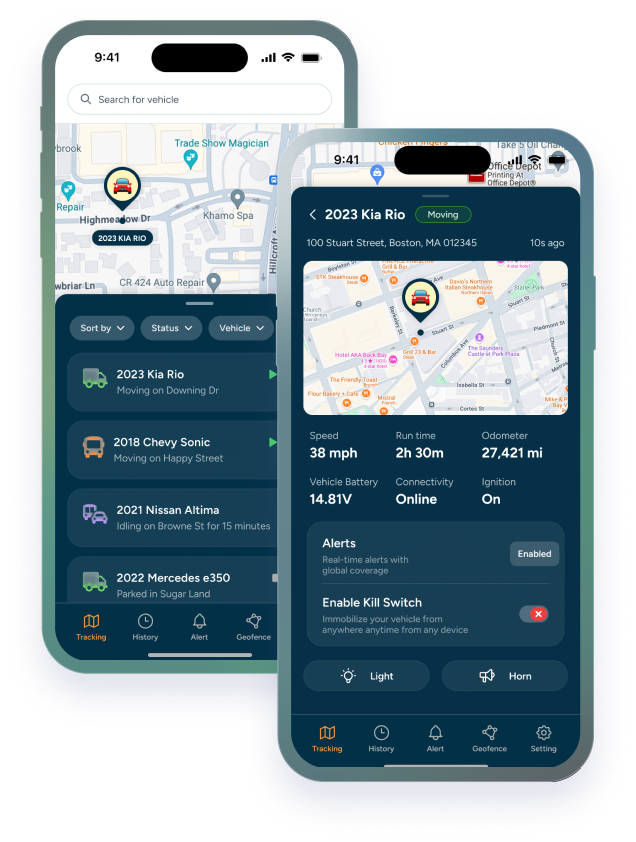

GPS tracking should make fleet management easier, not give managers one more system to chase all day. The difference often comes down to how the rollout is planned.
If alerts are too noisy, roles are unclear, or reports duplicate work the team already does, a helpful tracking system can start to feel like extra admin. That is not a technology problem alone. It is a workflow problem.
A GPS tracking rollout works best when it supports the business processes already in place: dispatch, vehicle assignment, driver accountability, maintenance follow-up, route review, and after-hours visibility.
This article is for business owners, fleet managers, dispatchers, and operations teams that want real-time visibility without creating unnecessary manual work.
TL;DR / Key Takeaways
- GPS tracking rollouts create extra admin when alerts, roles, and workflows are not planned before launch.
- The easiest rollout starts with the processes the business already uses.
- Alerts should reduce work by flagging meaningful exceptions, not create constant noise.
- Phased rollout, clear ownership, and simple reporting can help teams adopt tracking without overwhelming managers.
Why GPS Tracking Rollouts Can Create Extra Work
New software can create friction when teams do not know what to check, who owns the data, or how alerts should be handled. That is why a GPS tracking rollout should start with operations, not just devices.
The goal is not more data. The goal is fewer unanswered questions.
Trackhawk’s business GPS tracking plans support teams that need real-time fleet visibility, alerts, and tracking workflows without turning daily operations into constant manual follow-up.
Start With the Workflows You Already Have
A GPS tracking rollout should fit the business before it tries to change the business. Start with the workflows managers already use: dispatch, route review, vehicle assignment, maintenance follow-up, driver accountability, and after-hours monitoring.
Then decide where tracking data can replace a call, a spreadsheet, or a guess. For example, location history may reduce “where is the vehicle?” check-ins, while geofence alerts can show when a vehicle leaves an approved area.
For route-heavy operations, Trackhawk’s article on Delivery Vehicle GPS Tracking shows how visibility, routes, and alerts can support daily business workflows without constant manual check-ins.
Choose Alerts That Reduce Work Instead of Adding Noise
More alerts do not always mean better control. If every small movement creates a notification, managers may start ignoring the system.
The better approach is exception-based alerting. Start with the alerts that support real decisions: after-hours movement, geofence exits, towing, driver behavior, maintenance reminders, or unusual route activity.
Trackhawk’s GPS tracking software features can help businesses connect alerts, route history, driver behavior, and maintenance tools to practical fleet workflows.
Assign Clear Owners for Tracking Data
A rollout can fail when everyone has access but nobody owns the process. Before launch, decide who receives alerts, who reviews route history, who updates vehicle information, and who handles follow-up when something needs attention.
This does not need to be complicated. A dispatcher may own daily location checks, a fleet manager may review driver behavior, and an operations lead may handle weekly reporting. The key is making ownership clear before the system starts sending data.
For teams focused on unauthorized use or after-hours movement, the earlier post on Business Vehicle Security is a useful companion to this rollout planning process.
Use Reports and History to Replace Manual Follow-Up
The best tracking workflows remove repetitive questions. Instead of calling drivers for updates, managers can review route history. Instead of manually checking whether vehicles returned, they can use geofence activity. Instead of chasing maintenance notes, they can rely on scheduled reminders and vehicle data.
That shift only works when reports are tied to real decisions. A weekly report should help answer questions the business already has, not create another spreadsheet nobody uses.
For field-based teams, Trackhawk’s article on Fleet GPS Tracking for Field Service Teams shows how real-time visibility can support job progress, dispatch clarity, and owner-level oversight.
Roll Out in Phases Instead of All at Once
A phased rollout helps teams learn the system without overwhelming managers. Start with a small group of vehicles, the most important alerts, and the users who will rely on the data every day.
Once the team understands what is useful, expand to more vehicles, additional alerts, reports, and maintenance workflows. This keeps adoption practical and gives managers time to adjust before the system becomes part of everyday operations.
Trackhawk can help businesses roll out smart GPS solutions in a way that supports real workflows, not just more data collection.
The right rollout makes GPS tracking feel like less admin, not more.
Frequently Asked Questions
How can businesses roll out GPS tracking without adding admin work?
Businesses can reduce admin by starting with existing workflows, assigning clear owners, using only high-value alerts, and reviewing reports that replace manual follow-up.
Why do GPS tracking rollouts sometimes create extra work?
Rollouts create extra work when alerts are too noisy, roles are unclear, reports duplicate existing tasks, or managers do not know what information to review first.
What workflows should GPS tracking support first?
GPS tracking often supports dispatch, route review, vehicle assignment, after-hours visibility, driver accountability, maintenance follow-up, and fleet reporting.
How many alerts should a business start with?
A business should start with the alerts that support real decisions, such as geofence exits, after-hours movement, towing, maintenance reminders, or driver behavior alerts.
Who should own GPS tracking data?
Ownership depends on the business, but dispatchers, fleet managers, operations leads, and owners should each have clear responsibilities for the data they review.
Is a phased GPS rollout better than launching everything at once?
A phased rollout is often easier because the team can learn the system, adjust alerts, clean up workflows, and expand once the first group of vehicles is working well.