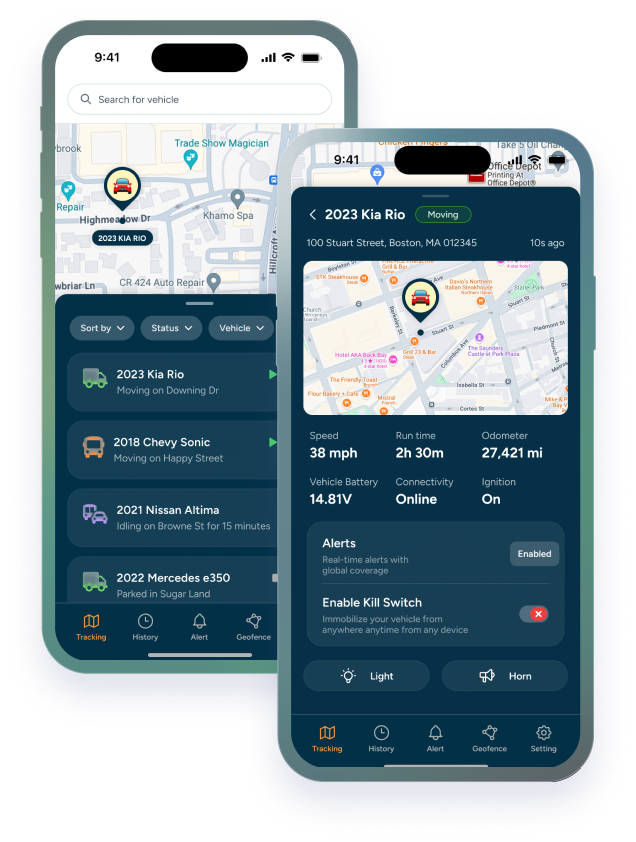

The car dash cam market has exploded. There are hundreds of options across every price point, and the specs sheets all start to blur together after a while: 4K this, 140-degree that, parking mode, loop recording, cloud sync. Most buyers end up either overspending on features they don't need or underspending on hardware that won't actually hold up when it matters.
Most dash cam content is written for personal drivers — someone who wants footage in case of a fender bender on the way to work. That's not who this is for. This guide is for rental operators, Buy Here Pay Here dealers, fleet managers, and business owners who have vehicles out in the world every day and need more than a recording device. They need visibility, accountability, evidence, and control.
The difference between a consumer dash cam and a commercial fleet dash cam system isn't just specs; it's an entirely different product category. Here's what that distinction actually means in practice, and how to choose the right setup for your operation.
Why Consumer Dash Cams Fall Short for Business Use
A consumer dash cam records footage to an SD card, connects to your phone via Wi-Fi, and lets you review clips when you get home. For a personal vehicle, that's often enough. For a business running 10, 20, or 50 vehicles, it falls apart quickly.
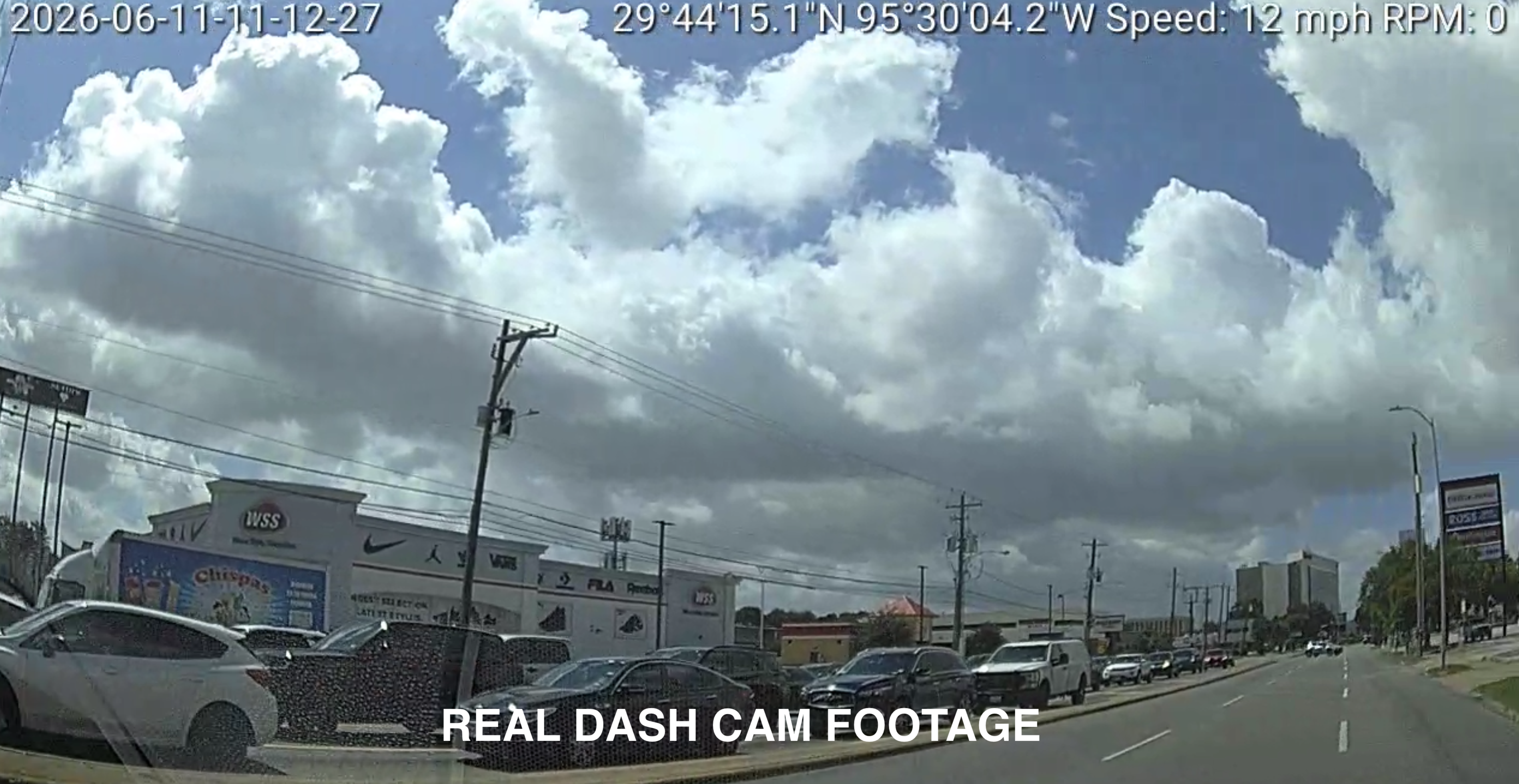
The core problem is that consumer cams are passive — they record, but they don't respond, alert, or integrate. A fleet manager can't watch 20 SD cards. They need a system that surfaces what matters automatically, delivers footage on demand without physical access to the vehicle, and connects to GPS data so every clip has location and route context.
|
Consumer Dash Cam |
Commercial Fleet Dash Cam |
|
|
Connectivity |
Wi-Fi sync only |
LTE. always-on, real-time upload |
|
GPS Integration |
None or basic |
Built-in, 5-second real-time updates |
|
Driver Monitoring |
Road-facing only |
Dual-facing AI with in-cab coaching |
|
Event Detection |
Manual review |
Automatic — harsh braking, tailgating |
|
Cloud Storage |
Local SD or personal cloud |
Commercial cloud, instant retrieval |
|
Insurance Impact |
Indirect / personal |
10–20% commercial premium discounts |
|
Fleet Management |
No |
Full dashboard, alerts, reporting |
|
Tamper Protection |
None |
Anti-tamper + battery backup |
The gap that matters most for business: LTE connectivity. A consumer dash cam stores footage locally. If the vehicle is involved in an incident, someone has to physically retrieve the SD card. A commercial fleet dash cam with LTE uploads event footage automatically the moment it happens; accessible from any device, anywhere, immediately.
What Is the Number One Rated Dash Cam?
There's no single universally top rated dash cam; the best one depends on your priorities, budget, and whether you need front-only or dual channel coverage. That said, a few brands consistently come up at the top of independent reviews and real-world testing.
Vantrue: consistently rated among the best dash cam brands for build quality, night vision, and dual-channel performance. The Vantrue E1 Lite and N4 Pro are strong picks at mid-range and upper mid-range respectively.
Garmin: the Garmin Dash Cam series is among the most reliable for ease of use, compact form factor, and integration with other Garmin devices. Popular with commuters who want a set-it-and-forget-it experience.
Nextbase: dominant in the UK market and growing in the US, Nextbase cams are known for clean footage quality and an ecosystem approach — modules for rear cameras, cabin view, and emergency response features.
BlackVue: the standard recommendation for high end dash cam setups and fleet use. Cloud connectivity, LTE-enabled models, and long-term reliability make BlackVue the go-to for professionals.
Thinkware: strong competitor to BlackVue for fleet and professional use, with excellent parking mode performance and ADAS features built in.
Trackhawk GPS Fleet Dash Cam: the go-to for commercial vehicles and fleets. LTE-connected, dual-facing (road + driver), with AI driver coaching, automatic event detection, real-time GPS tracking, and cloud video retrieval built in. One system that does what most consumer cams can't.
Which is the most reliable brand?
For personal use, Vantrue and Thinkware score consistently well on long-term reliability in owner reviews. For commercial and fleet use, the Trackhawk AI Fleet Dash Cam is built specifically for daily commercial operation, active cooling, tamper protection, and always-on LTE put it in a different category than consumer hardware.
What's the best rated dash cam for the money?
For personal use, the $100–$150 range is the sweet spot — the Vantrue E1 Lite and Garmin Dash Cam 67W consistently score as best rated dash cam options at this tier. For business use, the Trackhawk AI Fleet Dash Cam delivers commercial-grade video, GPS, and AI coaching in one system — making the per-vehicle cost easy to justify against insurance savings and liability protection alone.
Will Your Insurance Go Down If You Have a Dash Cam?
It depends on whether you're a personal driver or running a commercial fleet; and the difference is significant.
For personal drivers: a dash cam doesn't automatically lower your premium. US insurers haven't widely formalized discount programs for individual dash cam owners the way some UK insurers have. The real value is indirect; clear footage protects you from being assigned fault incorrectly, and a single avoided at-fault claim can save you 20–40% on premiums for years.
For commercial fleets: the picture is different. Many commercial insurance carriers actively offer premium discounts of 10–20% for fleets running active dash cam systems integrated with GPS tracking. Fleet dash cams are proven to reduce accident frequency and severity, and insurers price that risk accordingly. Carriers also factor in driver behavior data — fleets using AI coaching to reduce harsh braking and tailgating maintain cleaner safety records that lower long-term risk profiles and secure more competitive rates year after year.
Fraud protection matters too. Commercial fleets are frequent targets for "crash-for-cash" schemes — staged accidents designed to extract insurance settlements. Without footage, insurers often settle to avoid litigation, driving your premiums up regardless of fault. HD video evidence from a fleet dash cam shuts those claims down before they start.
How Much Should I Spend on a Good Dash Cam?
For most drivers, the $80–$200 range covers a quality dash cam that handles the core use cases well: accident documentation, parking incidents, and trip recording. Going below $50 usually means compromising on the things that matter most: low-light performance and plate readability.
|
Price Range |
Tier |
What You Get |
|
$30 – $80 |
Budget / entry-level |
1080p front-only, basic loop recording, no parking mode, minimal night vision. Fine for occasional use or a second vehicle. |
|
$80 – $150 |
Mid-range |
1080p or 1440p, decent night vision, parking mode, some with rear cameras. The sweet spot for most drivers — quality dash cam territory. |
|
$150 – $300 |
Upper mid-range |
4K front, dual channel front+rear, strong low-light performance, GPS logging, better build quality. Good for daily drivers and commuters. |
|
$300 – $600+ |
High end dash cam |
4K dual or triple channel, cloud connectivity, ADAS (driver assistance alerts), LTE plans, fleet management integration. For professionals and fleets. |
What does "best dash" mean at each price point?
At $80–$150, you're getting genuine quality dash cam performance — 1080p or 1440p footage that holds up in court, decent night vision, and reliable loop recording. At $150–$300, you get 4K resolution, better low-light performance, and more robust parking mode options. Above $300, you're largely paying for cloud connectivity, LTE features, and fleet management integration; valuable for businesses, overkill for personal use.
|
QUICK TIP Memory cards matter as much as the camera itself. Use a high-endurance microSD card rated for dash cam use, standard cards fail faster under the constant read/write cycles of loop recording. Samsung PRO Endurance and SanDisk High Endurance are reliable choices. |
Are Dashcams a Target for Thieves?
Yes; visibly mounted dash cams are a well-known smash-and-grab target, particularly in urban areas and high-crime parking zones. A dash cam on the windshield signals to a thief that there may be other valuables inside, and the camera itself has resale value. This is one of the less-discussed downsides of dash cam ownership.
How to reduce theft risk:
1. Remove the cam when parked. The most effective prevention. Takes 5 seconds and eliminates the visibility entirely. Most cams use a quick-release mount for exactly this reason.
2. Choose a compact form factor. A compact dash cam is far less visible than a larger unit. Mirror cams — which replace or overlay on the rearview mirror — are particularly inconspicuous from outside the vehicle.
3. Use a mirror cam or low-profile mount. A mirror cam is the least visible option from outside the vehicle and doubles as a wide-angle front recorder. Worth considering if theft risk is a real concern in your area.
4. Don't leave the suction cup mark. A visible suction cup mark on the windshield tells a thief the cam was removed — and that you probably left other items in the car. Clean it off if you're parking in a high-risk area.
|
QUICK TIP Parking mode with cloud backup is the best of both worlds for high-theft areas — the cam records any incident while parked, uploads the footage automatically, and even if the camera is stolen, you have the evidence. |
What Are 5 Common Mistakes to Avoid When Using a Dashcam?
|
# |
Mistake |
Why It Matters |
|
01 |
Blocking the driver's line of sight |
Mount behind the rearview mirror, not in the center of the windshield. A poorly placed dash cam is a distraction and may be illegal in some states. |
|
02 |
Not formatting the memory card regularly |
Dash cams overwrite old footage in a loop — but a card that's never formatted accumulates errors over time. Format every 2–4 weeks for reliable recording. |
|
03 |
Assuming parking mode works out of the box |
Parking mode requires either a hardwire kit or a built-in supercapacitor/battery. Most cams need a dedicated power connection to monitor while the car is off. |
|
04 |
Buying cheap just to check the box |
A $30 cam with unreadable plates in low light isn't evidence — it's decoration. The whole point of footage is that it's usable when you need it. |
|
05 |
Not checking footage periodically |
Most people never review their cam until they need it and discover it wasn't recording properly. Spot-check footage monthly to confirm the camera is working. |
What is the downside of a dashcam?
The honest answer: dash cams can be used against you as easily as for you. If footage shows you were speeding, following too closely, or distracted at the time of an incident, your own recording becomes evidence against your claim. This isn't a reason not to use one — it's a reason to drive the same way whether the camera is rolling or not. It's also worth knowing that in some states, audio recording laws apply to in-car footage, which we cover in the legal section below.
Is a Wired or Wireless Dash Cam Better?
"Wireless" in dash cam marketing usually means one of two things: a cam that connects to your phone via Wi-Fi for footage transfer, or a cam that runs on an internal battery or OBD-II power rather than a hardwired connection. True wireless installation is rare — most cams need power from somewhere.
|
Wired / Hardwired |
Wireless |
|
|
Power |
Hardwired to vehicle (clean) |
USB / OBD-II port |
|
Parking Mode |
Yes — full 24/7 monitoring |
Limited — drains battery |
|
Setup |
30–60 min professional install |
Plug in and go |
|
Cable clutter |
None — hidden in headliner |
Cable visible unless managed |
|
Portability |
Fixed to vehicle |
Easy to move between cars |
|
Best for |
Daily driver, fleet, commuter |
Rental, occasional use |
|
Mirror cam |
Available in wired format |
Some wireless mirror cams exist |
|
Smart dash cam |
Full cloud + LTE capable |
Wi-Fi sync only (no live stream) |
What about monthly fees?
Cloud-connected smart dash cams and drive cam systems often come with optional or required subscription plans for cloud storage, live streaming, and remote access. Costs range from $3–$15/month for personal cloud plans to $25–$50+/month for fleet-grade LTE plans with real-time monitoring. For personal use, cloud subscriptions are optional on most platforms — local SD card recording is free. For fleet and commercial use, the cloud plan is usually where the real operational value lives.
|
QUICK TIP If you're considering a hardwired install, it's worth doing it properly rather than just running a USB cable to the 12V port. A proper hardwire kit connects to a fused circuit in the fuse box and enables parking mode without draining the battery. Most professional installers can do this in under an hour. |
Where to Buy Reliable Dash Cams Online in the USA?
.webp?width=200&height=200&name=Dashcam%20(1).webp)
The good news: quality dash cams are widely available through mainstream US retailers. Here's where to look and what to watch for at each.
Amazon: the largest selection and often the best prices, but also the most counterfeit risk. Stick to fulfilled-by-Amazon listings from the brand directly, or check that the seller has strong reviews. Amazon is also where you'll find the widest range of dash cam accessories, mounts, memory cards, hardwire kits.
Best Buy (dash cams): strong for hands-on comparison before you buy, and their Geek Squad installation service is a legitimate option for hardwired setups if you don't want to DIY. Selection is narrower than Amazon but curated — you're less likely to encounter off-brand duds.
Costco (dash cams): Costco periodically carries Garmin and Vantrue units at competitive prices, often bundled with extended warranties. Stock is inconsistent but worth checking if you're already a member. Their return policy is one of the best in retail if you're not satisfied.
Walmart (dash cams): covers the budget and mid-range tiers well. Good for entry-level cams and accessories. Less reliable for upper mid-range and professional-grade options — the in-store selection skews toward lower price points.
Direct from brand: Vantrue, Trackhawk GPS, BlackVue, and Thinkware all sell directly through their own websites with manufacturer warranties and sometimes exclusive bundles. Worth checking if you've already decided on a brand.
|
QUICK TIP Before buying anywhere, check whether the model you want has recent firmware updates available and an active user community. A dash cam without ongoing software support ages poorly — bugs don't get fixed and compatibility with new phones breaks down over time. |
What Are the Legal Considerations for Using a Dash Cam in the US?
Dash cam use is legal across all 50 states, but several specific aspects of how you use one are subject to state-level regulations. Here's what matters most:
|
Area |
General Rule |
What to Know |
|
Windshield mounting |
Legal in most states |
Some states restrict placement — CA, AZ, MN restrict front windshield mounts to specific corners or areas. |
|
Audio recording |
Varies significantly |
Many states require all-party consent for audio. Recording passengers without consent may violate state wiretapping laws. |
|
Recording in public |
Generally legal |
Recording on public roads is legal across all 50 states. Private property (parking garages, valet lots) may differ. |
|
Using footage in court |
Admissible in most cases |
Dash cam footage is regularly admitted as evidence. Timestamp accuracy and chain of custody matter for legal use. |
|
Employer-owned fleets |
Legal with proper disclosure |
Employers can legally install dash cams in company vehicles with appropriate notice to employees. |
The audio recording issue deserves extra attention. Most modern dash cams record audio by default. In a two-party (or all-party) consent state — California, Florida, Illinois, and others — recording a conversation without all parties' consent may violate state wiretapping law. The safest approach in those states: disable audio recording in the cam's settings, or inform passengers that the cam records audio. Check your state's current laws before assuming you're covered.
For fleet operators and employers, the rules are more clearly defined. Company vehicles can be monitored with dash cams provided employees are given notice — typically through an employment agreement or vehicle use policy. Covert recording of employees is a different legal question and should involve legal counsel before implementation.
|
“ |
A dash cam is only as useful as the footage it captures. Buy quality, install it properly, check it regularly, and understand the legal framework in your state. Everything else is just specs on a box. |
The best time to set up a dash cam was before the incident. The second best time is today.