
Not every vehicle tied to your business is driven by your own team. Suppliers, vendors, contractors, delivery partners, and service partners may all operate vehicles that affect your schedule, customers, inventory, or jobsite workflow.
That creates a visibility gap. The vehicle matters to your operation, but you may not directly control the driver, route, schedule, or daily process.
Supplier-operated fleet tracking helps businesses keep better visibility into third-party vehicles connected to their work. The goal is not to overmanage a partner. It is to create enough location awareness, alerts, and reporting to coordinate work more clearly.
This article is for companies that depend on supplier, vendor, contractor, or partner-operated vehicles and need a practical way to see movement, timing, and exceptions without creating unnecessary friction.
TL;DR / Key Takeaways
- Supplier-operated fleet tracking helps businesses monitor vehicles operated by vendors, contractors, suppliers, or partners.
- Visibility is different from control. The goal is better coordination, not micromanaging every third-party decision.
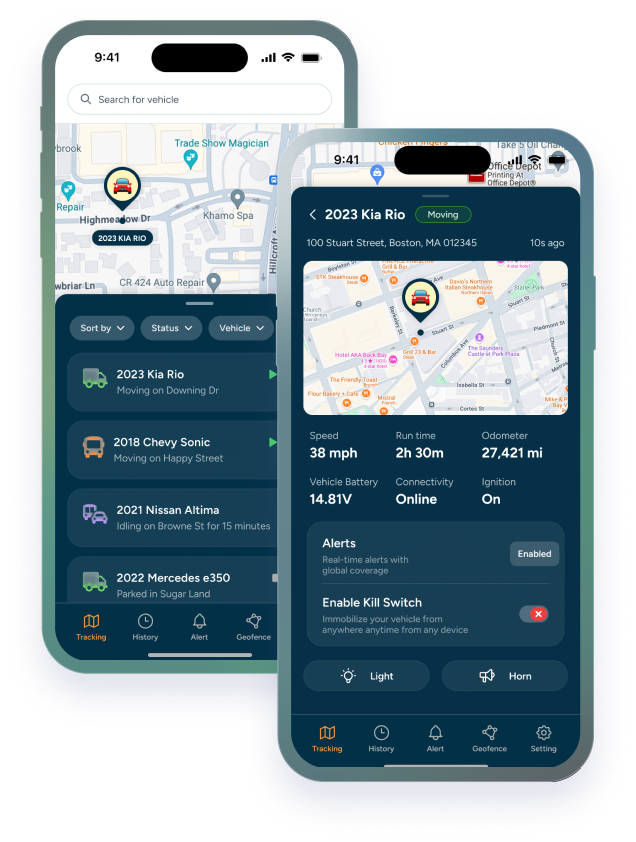
- Useful tracking should show location, route activity, geofence movement, alerts, and reporting permissions.
- Rollout should be handled with clear agreements, access rules, and expectations for how tracking data will be used.
Why Third-Party Vehicle Visibility Matters
A business may not own or operate a vehicle every day, but that vehicle can still affect the business. A supplier truck may hold up a delivery. A contractor vehicle may need to arrive at a jobsite. A partner-operated vehicle may be part of a customer-facing workflow.
When that visibility is missing, teams often fall back on manual updates. Someone calls the supplier, checks with a dispatcher, waits for a text, or makes decisions with incomplete information.
Trackhawk’s business GPS tracking plans help businesses think about visibility as part of the operation. For third-party vehicles, the value comes from knowing enough to coordinate, respond, and document key movement without turning every partner relationship into a manual follow-up loop.
What Supplier-Operated Fleet Tracking Should Actually Show
Third-party tracking should answer practical coordination questions. It should not create a dashboard full of data nobody uses.
A useful setup may show:
- Current vehicle location: Know where a supplier or partner vehicle is when timing matters.
- Route history: Review movement when there is a delay, dispute, or service question.
- Geofence activity: See when a vehicle enters or leaves a yard, warehouse, customer site, or jobsite.
- Exception alerts: Flag activity that falls outside expected locations, hours, or movement patterns.
- Access permissions: Control who can view data and what each team member can do inside the system.
For businesses coordinating field movement from a dashboard, Trackhawk’s GPS tracking software features help connect visibility, alerts, reporting, and permissions.
The Difference Between Visibility and Control
Supplier-operated fleet tracking requires a different mindset from tracking an internal fleet. With internal vehicles, a business may directly manage drivers, schedules, and policies. With third-party vehicles, the relationship may be based on contracts, service agreements, vendor expectations, or shared operating needs.
That is why visibility should be positioned carefully. GPS tracking can help show where a vehicle is, when it arrived, and whether it left an expected area. It does not automatically mean the business controls every driver decision or route choice.
The practical goal is alignment. Clear visibility can reduce confusion, support better planning, and give both sides a more reliable way to discuss what happened when timing or location matters.
Which Alerts Help With Third-Party Operations
The most useful alerts are the ones tied to shared expectations. A warehouse team may need to know when a supplier vehicle enters the yard. A jobsite manager may need to know when a contractor vehicle leaves an approved area. A coordinator may need to know when a vehicle moves after hours.
Geofence alerts, after-hours movement alerts, long-stop alerts, and route history can all be helpful when used with clear expectations. The key is to avoid alert overload. If every normal movement triggers a notification, the system becomes harder to trust.
For additional fleet visibility context, Trackhawk’s article on Mobile Fleet Tracking explains how mobile teams can use location data without turning operations into constant manual check-ins.
How to Roll Out Tracking With Suppliers or Partners
Supplier-operated tracking works best when expectations are clear before the system goes live.
A simple rollout process can include:
- Define the business reason: Explain whether tracking supports delivery timing, jobsite coordination, asset security, customer updates, or operational documentation.
- Clarify who owns what: Separate vehicle ownership, operational responsibility, data access, and response expectations.
- Set visibility boundaries: Decide which locations, times, alerts, and reporting details matter.
- Document permissions: Make sure users know who can see tracking data and how it may be reviewed.
- Review the workflow: Confirm what happens when an alert appears or a vehicle does not follow the expected movement pattern.
This keeps tracking practical and relationship-safe. The goal is to support the work, not surprise a supplier with unclear monitoring.
When Supplier-Operated Tracking Is Worth Reviewing
Supplier-operated fleet tracking is worth reviewing when third-party vehicle movement affects revenue, customer commitments, inventory flow, field productivity, or asset security. If the business regularly loses time trying to find out where a partner vehicle is, visibility may be part of the solution.
It may be less important when third-party vehicles have little operational impact, movement is predictable, or existing reporting already gives the team what it needs.
What matters most is fit. If visibility helps the business coordinate work more clearly and the partner relationship supports that level of tracking, a supplier-operated fleet tracking setup may be worth discussing.
A Clearer Way to Coordinate Partner Vehicles
Third-party vehicle visibility does not have to mean complicated oversight. With the right tracking workflow, businesses can understand movement, timing, and exceptions without adding more calls or guesswork to the day.
Trackhawk GPS supports business buyers with smart GPS solutions, real-time visibility, alerts, user permissions, reporting tools, hardware + software included, and support for teams managing vehicles tied to business operations.
When supplier-operated vehicles affect your schedule, customers, or revenue, better visibility can make coordination simpler and more accountable.
Frequently Asked Questions
What is supplier-operated fleet tracking?
Supplier-operated fleet tracking is the use of GPS tracking and fleet software to monitor vehicles operated by vendors, suppliers, contractors, or partners connected to a business workflow.
Why would a business track third-party vehicles?
A business may track third-party vehicles to improve timing visibility, coordinate deliveries or jobsites, document movement, support customer updates, or reduce manual follow-ups.
Is third-party vehicle visibility the same as control?
No. Visibility helps a business see location, movement, and alerts. Control depends on ownership, agreements, policies, permissions, and the relationship between the business and the supplier.
What alerts are useful for supplier-operated vehicles?
Useful alerts may include geofence entry and exit, after-hours movement, long stops, route exceptions, and other notifications tied to the agreed operating workflow.
What should companies review before tracking supplier vehicles?
Companies should review agreements, permissions, access rules, data use, alert expectations, and how tracking information will be used in the business relationship.